


Split keyboards are simply better, but there just aren't enough options at retail. Prepare to enter the world of DIY Keyboards

Layouts
Traditional keyboards force your fingers to move across an unnatural row-staggered layout. The evolution of ergonomic keyboards has progressed through layouts such as ortholinear, split ortholinear, column staggered, and splayed column staggered - each attempting to better match your hand's natural anatomy. Yet all the

10 Best HALL EFFECT Gaming Keyboards!
Apple’s $599 MacBook Neo boosts laptop repairability
Multiple teardowns and Apple’s own repair documentation suggest the new $599 MacBook Neo is unusually easy to service for a modern Apple laptop. Inside, the layout is simplified and comes apart quickly with standard Torx screws. Reviewers point to modular, swappable parts—USB‑C ports, speakers, and the headphone jack—plus a battery secured with screws instead of the strong adhesives and tapes that have complicated many prior Mac repairs. One standout change: the keyboard is replaceable as its own part, rather than forcing a swap of the entire “top case” assembly. That shift could cut both downtime and parts costs for common failures. Several outlets frame the Neo as Apple leaning further into Self Service Repair—and responding to broader right‑to‑repair pressure—which could be welcome for schools, businesses, and anyone trying to keep a budget laptop running longer instead of replacing it.

X-Bows Mechanical Ergonomic Keyboard
X-Bows' unique key layout allows for you to type faster and for longer. It is the evolution in keyboards that we have been waiting for.

PC Gaming Gear | Wireless Mechanical Gaming Keyboard | RK ROYAL KLUDGE
RK Royal Kludge is relatively a newer company that specializes in wireless mechanical gaming keyboards including Royal Kludge RK61, RK84, RK87, RK71, etc, using Cherry MX switches (+clones) and electrostatic capacitive switches. Official Online Store with exclusive deals. Money back guarantee.

UHK 60 v2
The UHK 60 is fully programmable, impeccably built, 60% split mechanical keyboard designed for extreme productivity and ergonomics. Make the most out of your UHK by reading its interactive onboarding manual! Key switch type Key switch type is the defining factor that determines the feel of any keyboard. We offer the following Kailh switch types; each has its character. Let us first look at the vertical axis of the matrix. You may already be familiar with regular MX switches on countless other keyboards. The box switches feel more precise and better protected from dust; we recommend them for the best typing experience. The silent switches make your UHK more bearable in noise-sensitive environments at the expense of some mushiness. For the matrix’s horizontal axis, we recommend clicky switches. They provide the best typing experience, but your environment may not tolerate their noise. Gamers often prefer linear switches; tactile switches are the best middle ground between typing and gaming. Switch name Feel Actuation force Audio sample Regular Brown Tactile 50 gf Play Regular Blue Clicky 50 gf Play Regular Red Linear 45 gf Play Box Brown Tactile 50 gf Play Box White Clicky 45 gf Play Box Red Linear 50 gf Play Silent Brown Tactile 45 gf Play Silent Pink Linear 35 gf Play If you're still not sure which switch to choose, we strongly recommend purchasing the UHK switch tester. Layout and keycaps The UHK keycaps are best-in-class double-shot PBT keycaps that offer excellent shine-through performance, and the legends are easy to read even when they’re not backlit. The surface of these keycaps never gets shiny with use, and their legends never fade. The keycaps’ side legends are silk printed. We don't offer custom keycap printing options, and you can only choose the ones provided. You can select English US (ANSI), English UK (ISO), Blank ANSI, or Blank ISO. Being a backlit keyboard, we implemented the blank option by placing small translucent dots on every keycap. All these keycap options are made of double-shot PBT. We only provide a bar-shaped Enter key. The main reason is that it's more ergonomic than the L-shaped Enter key, and it's super easy to get used to, even for ISO users. If you want a custom UHK 60 keycap set (not backlight-friendly, but high quality), design and order yours from Yuzu. They have presets for German, UK, Norwegian, Swedish, Danish, French, Italian, Spanish, Portuguese, Swiss, Colemak, Colemak-DH, and Dvorak layouts. We don't get any kickback from Yuzu. Box contents The following items are included: The UHK 60 v2 (left and right keyboard halves) Braided bridge cable (11 cm collapsed - 30 cm expanded, or 0.35 - 1 foot), or make a custom length bridge cable Braided USB-C to USB-C cable (180cm long, or 6 feet) USB-C to USB-A adapter Combined keycap and switch puller Four hot-swappable flip-out feet For maximum ergonomics (tenting and negative tilting), the UHK palm rest is strongly recommended. Tenting and tilting angles With the bundled flip-out feet, you can tent, positively tilt, and negatively tilt the UHK 60 with and without the palm rest. When the feet are assembled, you can unfold them for more elevation or fold them for less elevation. Negative tilting without the palm rest is only possible with closed feet. Combined tenting and tilting is not supported. The following angles are achievable with unfolded feet, with folded feet providing approximately half the unfolded angle: Tenting angle: 9° for the left half and 7° for the right half (both with and without palm rest) Negative tilting angle: 5.5° without palm rest (only with closed feet) and 7.3° with palm rest Positive tilting angle: 11° without palm rest and 6.3° with palm rest For a wider range of tenting angles, see Riser 60. Physical specifications (with and without palm rest) Keyboard weight: ~1 kg (2.2 lbs) Palm rest weight (both wooden and rubber): 0.5 kg (1.1 lbs) Width: 289 mm (11.38 inch) Left keyboard half (and also palm rest half) width: 135 mm (5.31 inch) Right keyboard half (and also palm rest half) width: 154 mm (6.06 inch) Keyboard height (without keycaps): 21 mm (0.83 inch) Keyboard height (with keycaps): 29 mm (1.14 inch) Palm rest height: 23mm (0.9 inch) Keyboard length: 132mm (5.2 inch) Palm rest length: 75mm (2.95 inch)

RK71 70% Wireless Mechanical Keyboard
Win+Mac Design for All Users Press FN + A/S to easily switch between Windows and Mac devices, detailed Windows+Mac layout meets the needs of each user to work efficiently or gaming/working status switching. 10 Keys Anti-Ghosting in BT Mode Triggering 10 keys instantly in wireless mode is available and full keys rollover with the cable connected. You can register as many keys as you can press at once without missing out characters in different modes. Ergonomic 8° Angle or Add a Pad Foot The tested comfortable Ergonomic 8°angle might not meet every users’ need, so we give them another options to choose. Add a magnetic pad foot or not, is up to your definition of comfort. RK61 White RK84 White RK71 White RK68 White RK87 Wihte Keys Layout 61 keys 84 keys 71 keys 68 keys 87 keys Connection Bluetooth (3 devices) 2.4Ghz + Bluetooth (3 devices) Bluetooth (3 devices) Bluetooth (3 devices) 2.4Ghz Wireless Backlight Blue RGB RGB Blue RGB Switches Blue Brown Brown Brown Brown Size 289*103*39mm 315*125*39mm 330*102*37mm 309*103*39mm 360*135*39mm Weight 0.50kg 0.79kg 0.64kg 0.60kg 1.10kg Battery Capacity 1450mAh 3750mAh 1000mAh 1450mAh 1850mAh Software ✓ ✓ ✓ ✓ ✓
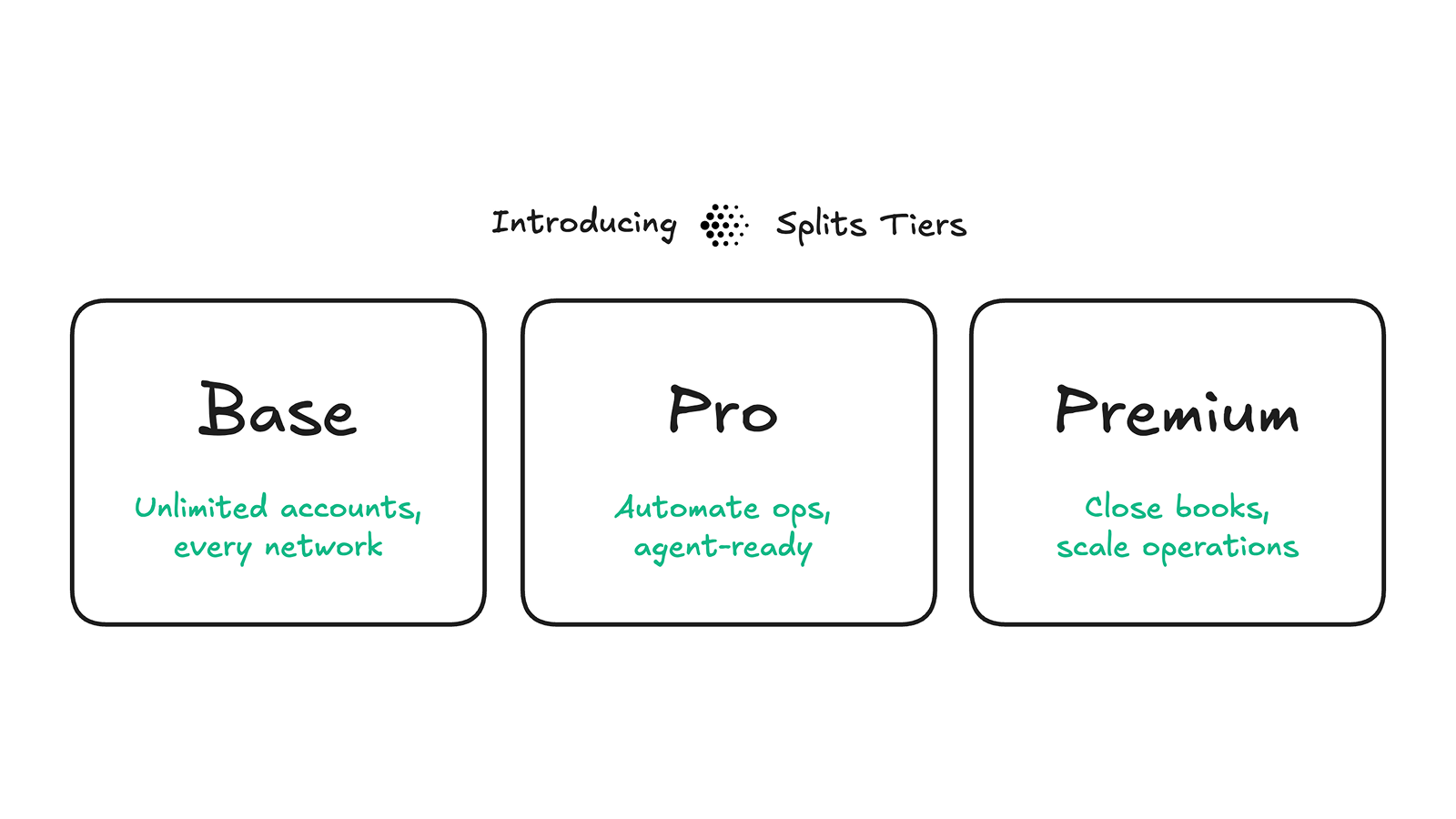
Launching Splits Pro & Premium | Splits
Today we're launching Splits Pro and Premium, and most customers will get them without paying a subscription.
Stole this meme from pcmasterrace. Pretty relate-able.
655 votes, 41 comments. 1.4M subscribers in the MechanicalKeyboards community. /r/MechanicalKeyboards is about typing input devices for users of all…

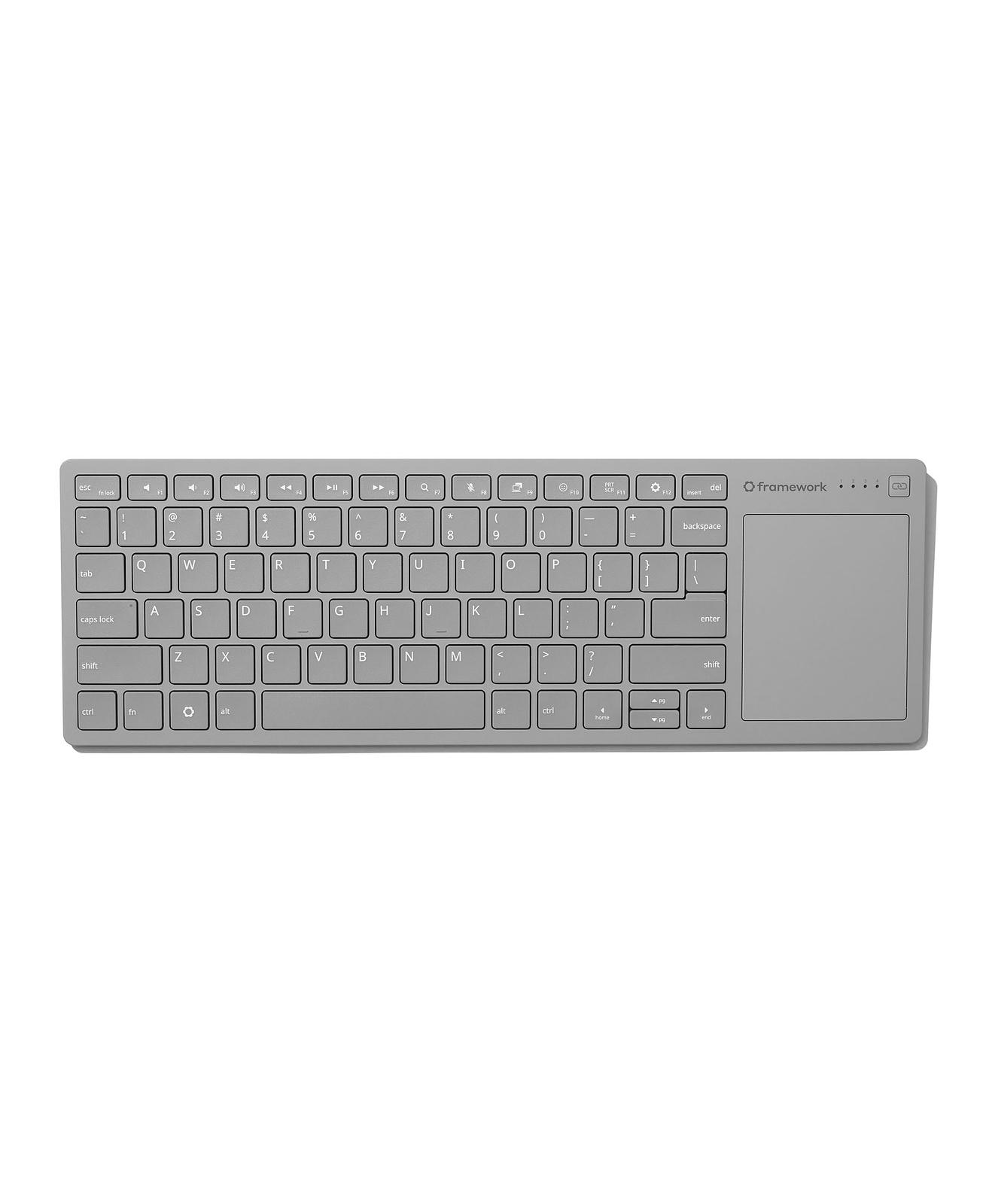
Framework Wireless Touchpad Keyboard
Finally, a wireless keyboard with an integrated touchpad that you don’t hate. Super slim and durable, it's ideal for HTPCs, sim rigs, and single-board computer setups, using the same keyboard and touchpad design as Framework Laptops. Features a 68.8 × 85.6mm precision touchpad with multi-touch gesture support and 1.5mm key travel for a responsive typing experience. Connect via wired, Bluetooth, or USB-A dongle, and switch between up to four wireless devices. Compatible with the USB-A Adapter Expansion Card for added flexibility. Powered by Nordic’s ultra-low-power nRF54LM20 wireless SoC. Open-source CAD design and firmware based on ZMK Firmware allow for endless mod potential. The control board will be available for purchase separately with breakout pinouts designed for DIY keyboard builds and custom projects.
Gives Surface Pro, Pixel Slate, iPad Pro a run for their money
Bottom line: HP’s Chromebook x2 raises the bar for the two-in-one category, combining effective design, peppy performance and a fine display at a killer price. Let’s get right to it: I love the HP x2. It’s a terrific Chromebook laptop with a great display, a keyboard that’s comfortable to type on and surprisingly peppy performance....

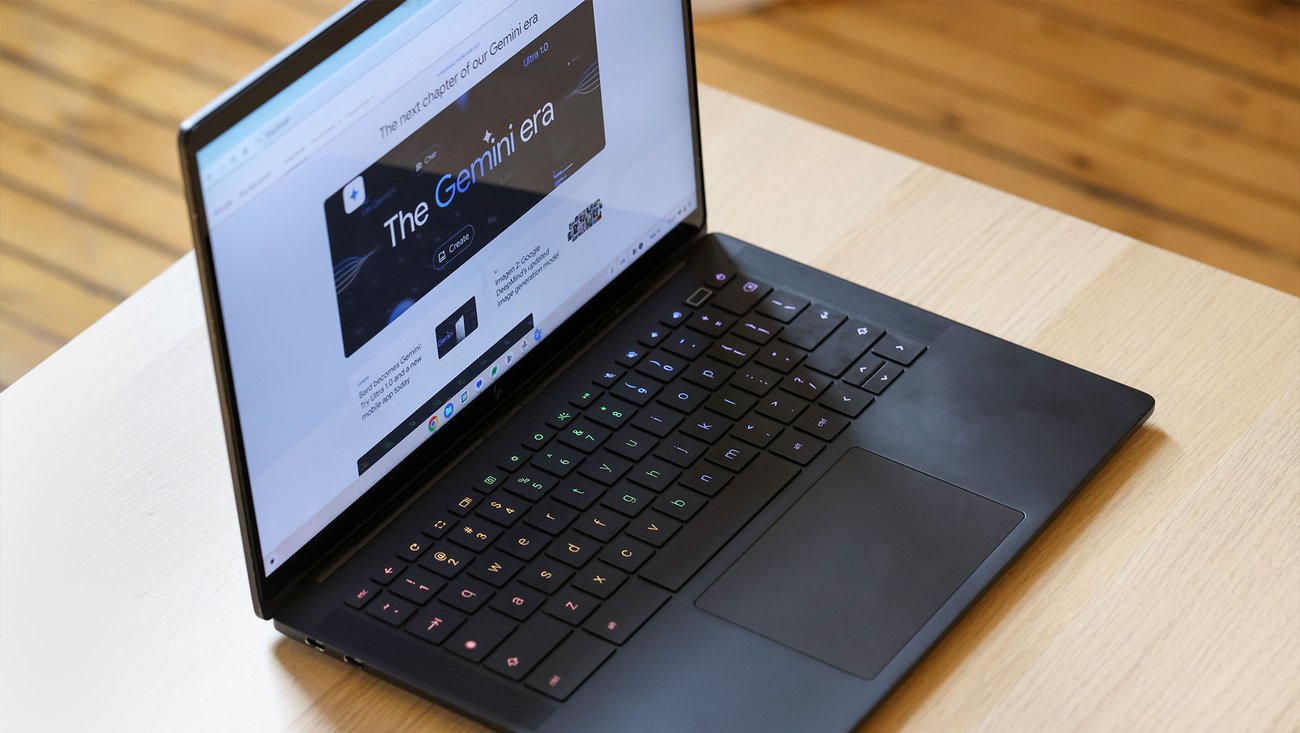
Why Chromebook keyboards have lowercase letters
Learn why Google decided to create an all lowercase keyword for Chromebooks.
The iPhone Duo
It’s been a lot of fun trying the Duo out for a week, but it feels like I’ve gotten to use an extraordinarily polished prototype — not a finished product that I’d want to buy and carry.

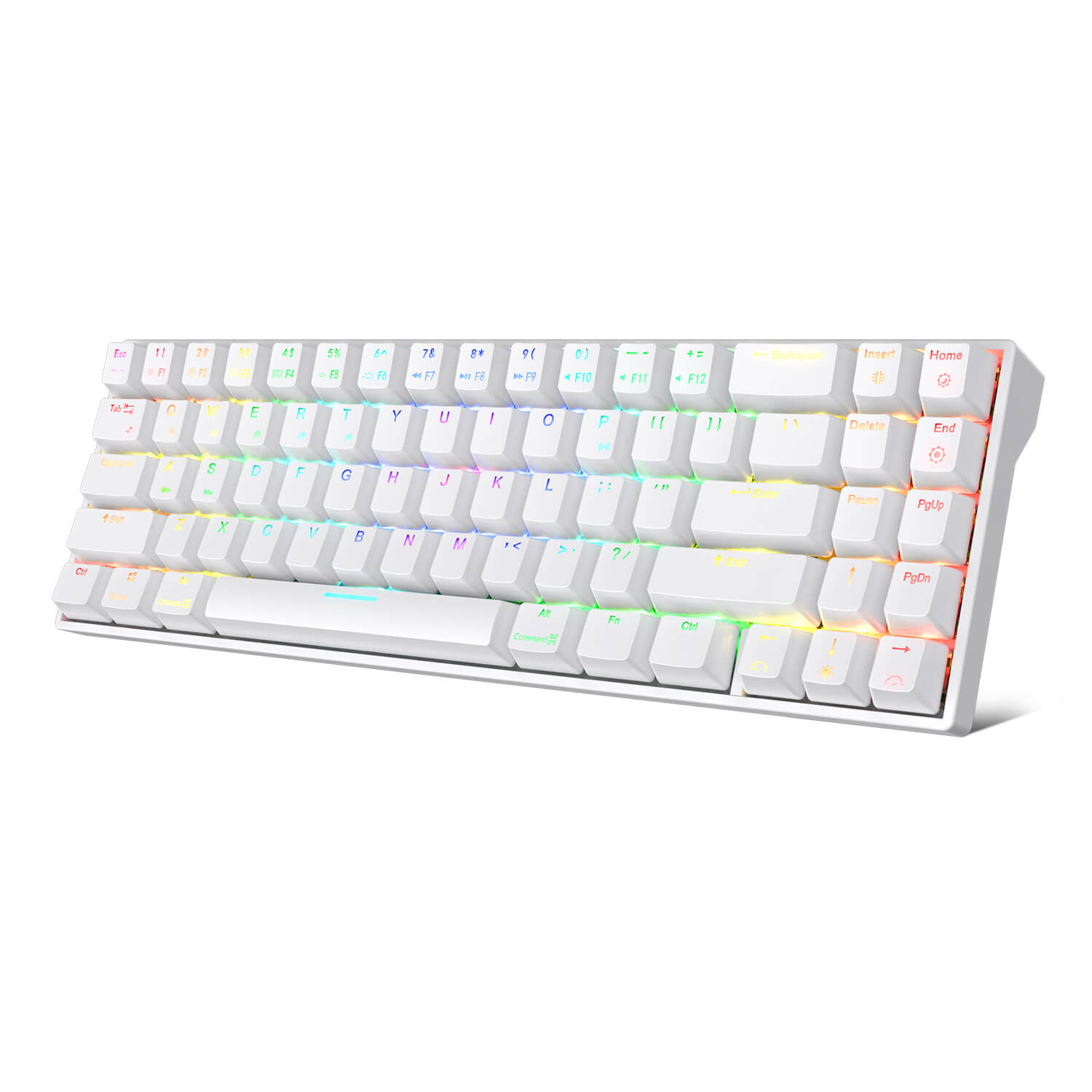
ROYAL KLUDGE RK71 71 Keys Wireless 70% RGB Mechanical Gaming Keyboard
Compact minimalistic layout with 71 keys makes you a neat desktop, even folks who have nothing to do with Minimalist will dive into its tiny practical design. Another creative breakthrough of RK71 is the high-performance driver, diverse RGB effects are adjustable with custom.