

Compositing (see Chapter 13) makes animations smoother, but it doesn’t help with interactions that affect layout, like text editing or DOM modifications. Luckily, we can avoid redundant layout work by treating the layout tree as a kind of cache, and only recomputing the parts that change. This invalidation technique is traditionally complex and bug-prone, but we’ll use a principled approach and simple abstractions to make it manageable.
Animating and Compositing | Web Browser Engineering
Complex web applications use animations when transitioning between states. These animations help users understand the state change and they improve visual polish by replacing sudden jumps with gradual changes. But to execute these animations smoothly, the browser must minimize time in each animation frame, using GPU acceleration to speed up visual effects and compositing to minimize rendering work.
Building the DOM faster: speculative parsing, async, defer and preload – Mozilla Hacks - the Web developer blog
In 2017, the toolbox for making sure your web page loads fast includes everything from minification and asset optimization to caching, CDNs, code splitting and tree shaking. Understanding what goes ...

Laying Out Pages | Web Browser Engineering
So far, layout has been a linear process that handles open tags and close tags independently. But web pages are trees, and look like them: borders and backgrounds visually nest inside one another. To support that, this chapter switches to tree-based layout, where the tree of elements is transformed into a tree of layout objects before drawing. In the process, we’ll make web pages more colorful with backgrounds.
Supporting Embedded Content | Web Browser Engineering
While our browser can render complex styles, visual effects, and animations, all of those apply basically just to text. Yet web pages contain a variety of non-text embedded content, from images to other web pages. Support for embedded content has powerful implications for browser architecture, performance, security, and open information access, and has played a key role throughout the web’s history.
swup — Versatile and extensible page transition library for server-rendered websites
Versatile and extensible page transition library for server-rendered websites

Running Interactive Scripts | Web Browser Engineering
The first web applications were like the previous chapter’s guest book, with the server generating new web pages for every user action. But in the early 2000s, JavaScript-enhanced web applications, which can update pages dynamically and respond immediately to user actions, took their place. Let’s add support for this key web technology to our browser.
Shoelace: A forward-thinking library of web components.
Hand-crafted custom elements for any occasion.
Adding Visual Effects | Web Browser Engineering
Right now our browser can only draw colored rectangles and text—pretty boring! Real browsers support all kinds of visual effects that change how pixels and colors blend together. To implement those effects, and also make our browser faster, we’ll need control over surfaces, the key low-level feature behind fast scrolling, visual effects, animations, and many other browser capabilities. To get that control, we’ll also switch to using the Skia graphics library and even take a peek under its hood.
Constructing an HTML Tree | Web Browser Engineering
So far, our browser sees web pages as a stream of open tags, close tags, and text. But HTML is actually a tree, and though the tree structure hasn’t been important yet, it will be central to later features like CSS, JavaScript, and visual effects. So this chapter adds a proper HTML parser and converts the layout engine to use it.

Solving Performance for 2D & 3D Web Apps: Finally!
Bringing Microsoft Internet Explorer’s proprietary “Interpage Transitions” back to Modern Browsers using the View Transition API
Back in late 2024, I started working on a fun end-of-year side project named ie-page-transitions. It”s a CSS + JS library that brings back Microsoft Internet Explorer’s proprietary “Interpage Transitions” to modern browsers, powered by the View Transition API. After sitting unfinished for a while, I finally got all 23 classic effects over the finish line and published the project on page-transitions.style.
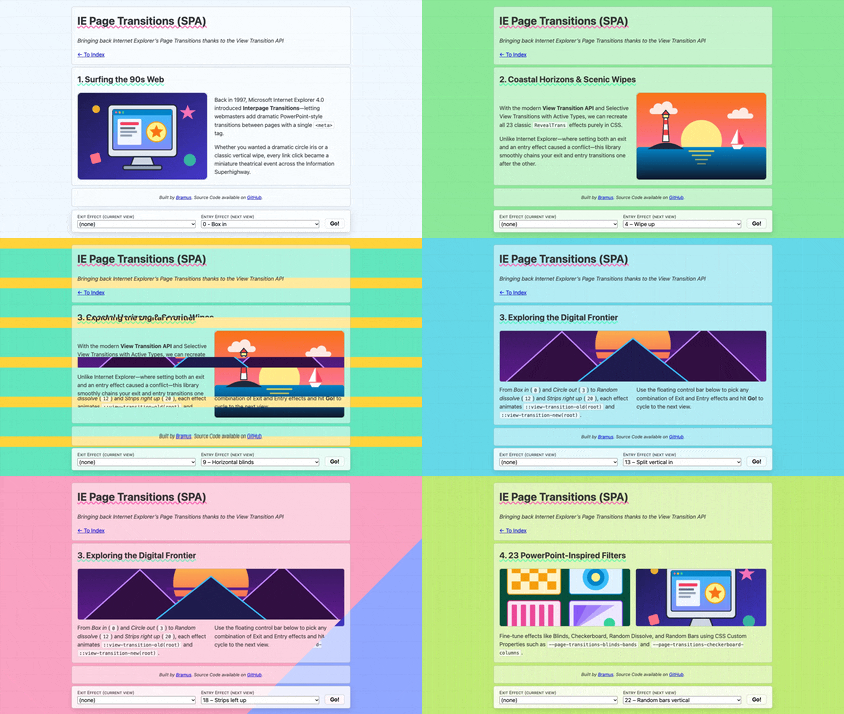
Bringing Microsoft Internet Explorer’s proprietary “Interpage Transitions” back to Modern Browsers using the View Transition API
Back in late 2024, I started working on a fun end-of-year side project named ie-page-transitions. It”s a CSS + JS library that brings back Microsoft Internet Explorer’s proprietary “Interpage Transitions” to modern browsers, powered by the View Transition API. After sitting unfinished for a while, I finally got all 23 classic effects over the finish line and published the project on page-transitions.style.
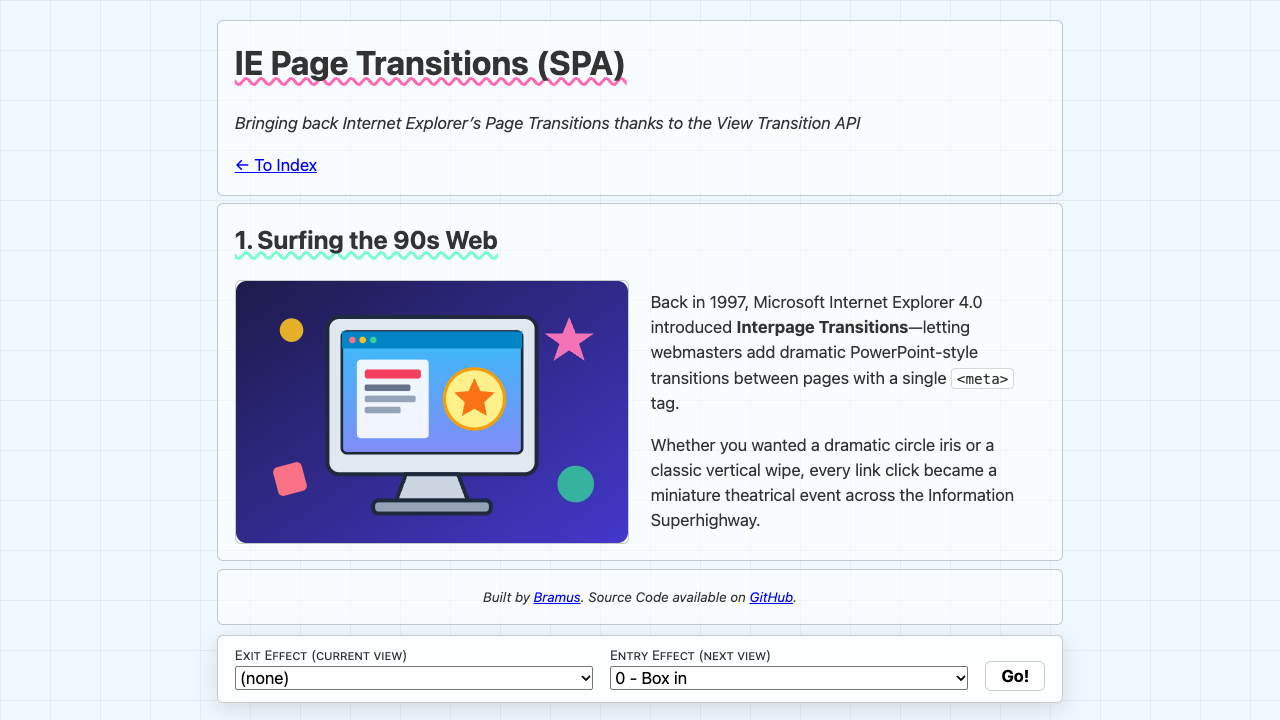
page-transitions.style — Bringing back Internet Explorer’s Page Transitions
Bringing back Internet Explorer’s Page Transitions thanks to the View Transition API
Relearn CSS layout
If you find yourself wrestling with CSS layout, it’s likely you’re making decisions for browsers they should be making themselves.