

Scroll or pinch to zoom without limit, and drag to pan. Circles and geodesics fade in once they are a couple of pixels across, and labels once the circles are big enough to hold them. The arithmetic is exact (BigInt), so zooming to 10¹⁰⁰ is fine. Click a circle to fly to it. Flying to a circle or to one of the constants locks the centre on that exact number, so further zooming stays on it however deep you go. Dragging releases the lock. The panel’s continued fraction is always that of the centre of the screen.
Pad++: A Zooming User Interface (1998)

The next Zoom wants to be nothing like Zoom | TechCrunch
In the past few months, there hasn’t been one conversation I’ve had about remote work that doesn’t include a mention of Hopin, a virtual events platform last valued at $2.1 billion.

Moom
Move, zoom, and snap windows. Arrange windows in layouts. Auto-adjust to display setups.

Evolving the infinite canvas
In the digital world, especially on the web, we’re used to things being stacked vertically. Scrolling, scrolling, through boxes of content,
You Love Your Ultrawide Gaming Monitor. What About an Ultrawide Gaming Laptop?
Lenovo brought a Legion gaming laptop to CES this year with a rollable OLED display that expands horizontally by six inches.

Nova Rounding Border-Radius Adjustment Variables
64 votes, 26 comments. For those of you who would like to adjust the heavy rounding of all of the elements in the new Nova theme to slightly less…
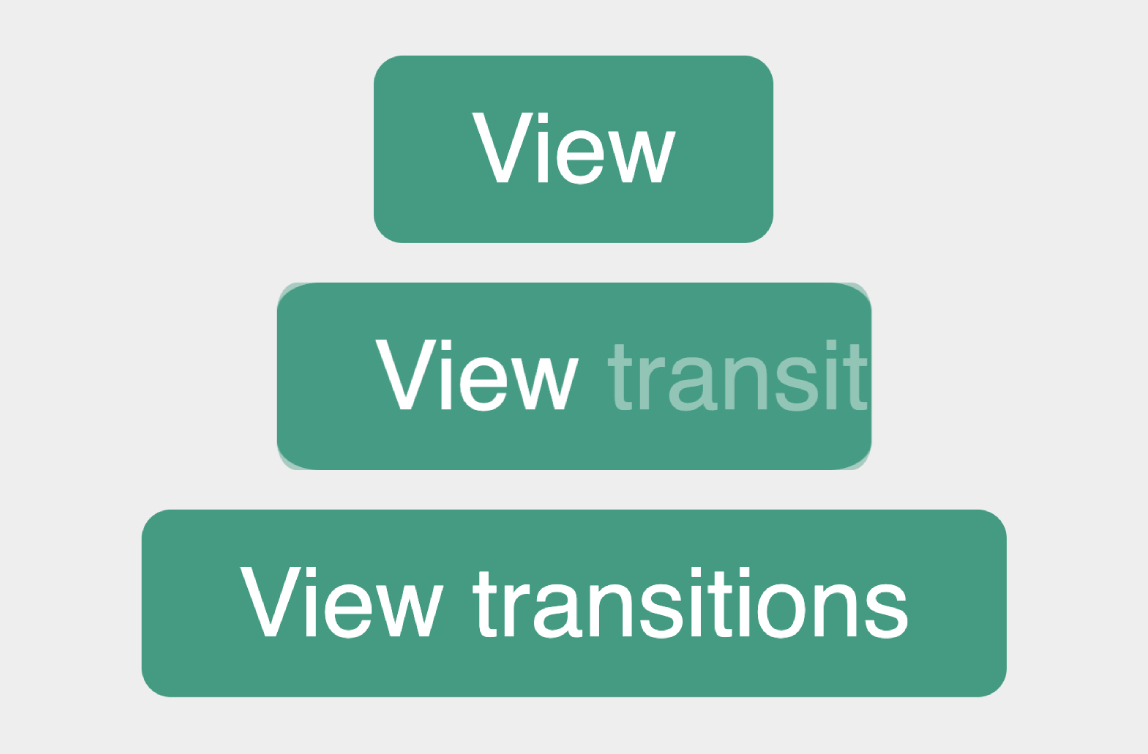
View transitions: Handling aspect ratio changes
Tips and tricks to get the transition you want

Stefan Judis

Well... 🫣 Today I learned there's a CSS `zoom` property that scales an element's visual appearance and (!) layout. I can't be the only one hearing about this for the first time, right? stefanjudis.com/today-i-learned/css-zoom-to-s…

