

BetterTouchTool — customize trackpad gestures, keyboard shortcuts, the menu bar and more on your Mac.
MacPaw | Making Your Mac Life Simpler
MacPaw develops apps that make your Mac life easier. We do complex things in one click and solve tasks with one tool. Simple is better.
macOS WM — Window Managers for macOS
A curated directory of window managers, status bars, and scripting tools for macOS. From automatic tiling to gesture controls, find the perfect tool for your workflow.
Automator User Guide for Mac
Learn how to use Automator on your Mac to automate much of what you do on your computer.
Yoink for Mac - Simplify and Improve Drag and Drop
Simplify and improve drag and drop on your Mac and speed up your daily workflow.
BetterWispr: local dictation for macOS
Hold a shortcut, speak, and BetterWispr types clean text into any Mac app. Local speech models, a style for each app, meeting notes and insights. Free and open source, with no account required.
Personal Computer for Mac - Perplexity
Personal Computer for Mac. One keyboard shortcut opens an always-on AI that controls local files, native apps, and Comet browser. No uploads. No tab switching.

Antinote — a $5 scratchpad for macOS
Antinote is a fast macOS scratchpad for temporary notes and inline math. Opens on a global hotkey, strips formatting on paste, converts currencies and units. $5 once, lifetime updates, macOS 14+.
The case for clipboard managers
Last week, I walked myself through the process of realizing the power of macOS Defaults and how, over the two decades of modern macOS, Apple has addressed most of the basic needs of the average use…

TheBoringNotch ✨
Boring.Notch transforms your MacBook's notch into a dynamic music control center, complete with a visualizer and music controls, making it the star of your screen & Yeah its Open Source

Mac window tiling icons & keyboard shortcuts
A list of the icons and keyboard shortcuts for tiling windows on Mac.
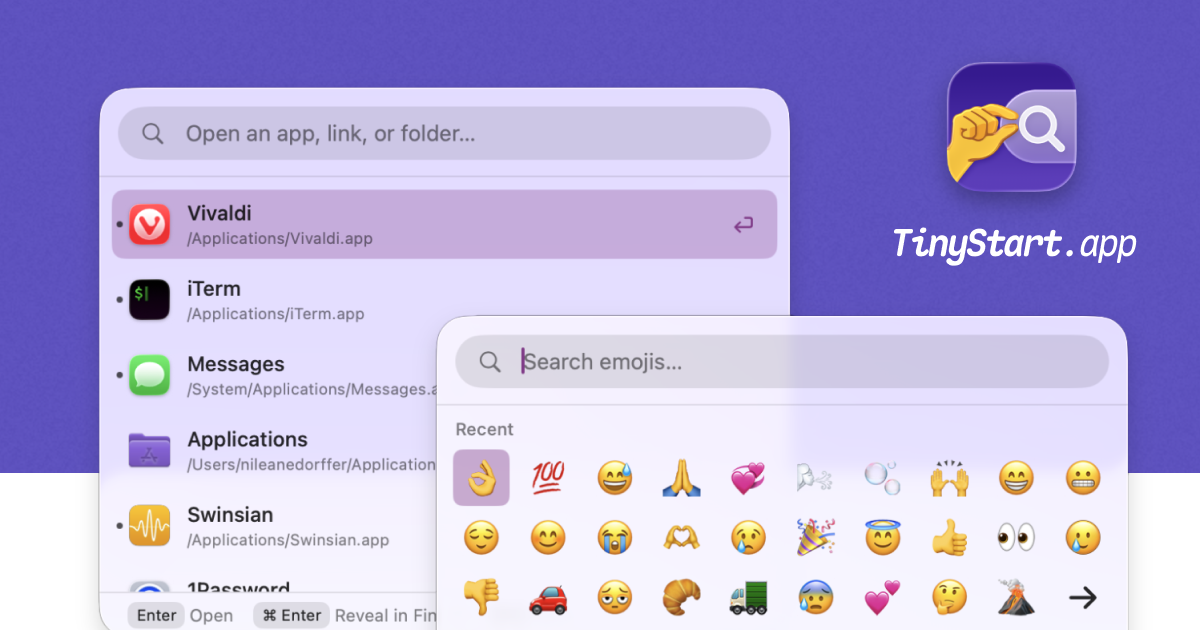
TinyStart, a Tiny Launcher and Emoji Picker for Your Mac
TinyStart, a tiny launcher for your Mac. Launch apps, insert Emoji, open Links and Folders, and more.
Karabiner-Elements
Karabiner-Elements A powerful and stable keyboard customizer for macOS. Download v16.1.0 Toggle Dropdown Download v16.1.0 For macOS 27 Golden Gate For macOS 26 Tahoe For macOS 15 Sequoia For macOS 14 Sonoma For macOS 13 Ventura Download v14.13.0 For macOS 12 Monterey For macOS 11 Big Sur Download v13.7.0 For macOS 10.15 Catalina (10.15.6 or later) Download v12.10.0 For macOS 10.15 Catalina For macOS 10.14 Mojave For macOS 10.13 High Sierra For macOS 10.12 Sierra Download v11.6.0 For macOS 10.11 El Capitan Download v10.22.0 For macOS 10.11 El Capitan For macOS 10.10 Yosemite For macOS 10.9 Mavericks Learn more Privacy Supported systems macOS 27 Golden Gate macOS 26 Tahoe macOS 15 Sequoia macOS 14 Sonoma macOS 13 Ventura Both Intel-based Macs and Apple Silicon Macs are supported. Predefined rules by community Release notes GitHub Sponsor Easy to use You can configure simple key mappings from GUI.
Kando
Kando is an open source cross-platform pie menu. You can use it to launch applications, execute keyboard macros, open files, and much more!
