

Share a single keyboard and mouse between multiple computers.
10/GUI
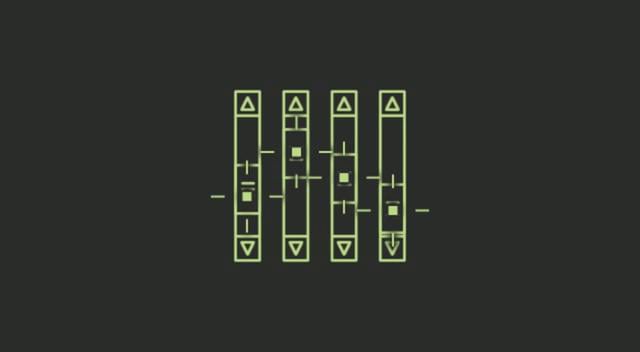
Here it is: my crazy summer project to reinvent desktop human-computer interaction. This video examines the benefits and limitations inherent in current mouse-based and window-oriented interfaces, the problems facing other potential solutions, and visualizes my proposal for a completely new way of interacting with desktop computers. There's more information at http://10gui.com .
Universal Control: Use a single keyboard and mouse between Mac and iPad - Apple Support
Use the keyboard, mouse, or trackpad of your Mac to control up to two other nearby Mac or iPad devices, and work seamlessly between them.
Personal Computer for Mac - Perplexity
Personal Computer for Mac. One keyboard shortcut opens an always-on AI that controls local files, native apps, and Comet browser. No uploads. No tab switching.

Twiddler 4 - By Tek Gear
A one-handed keyboard and mouse that lets you type faster wherever you go.
Exclusive: Meta to start capturing employee mouse movements, keystrokes for AI training data
Meta is installing new tracking software on U.S.-based employees’ computers to capture mouse movements, clicks and keystrokes for use in training its artificial-intelligence models, part of a broad initiative to build AI agents that can perform work tasks autonomously, the company told staffers in internal memos seen by Reuters.

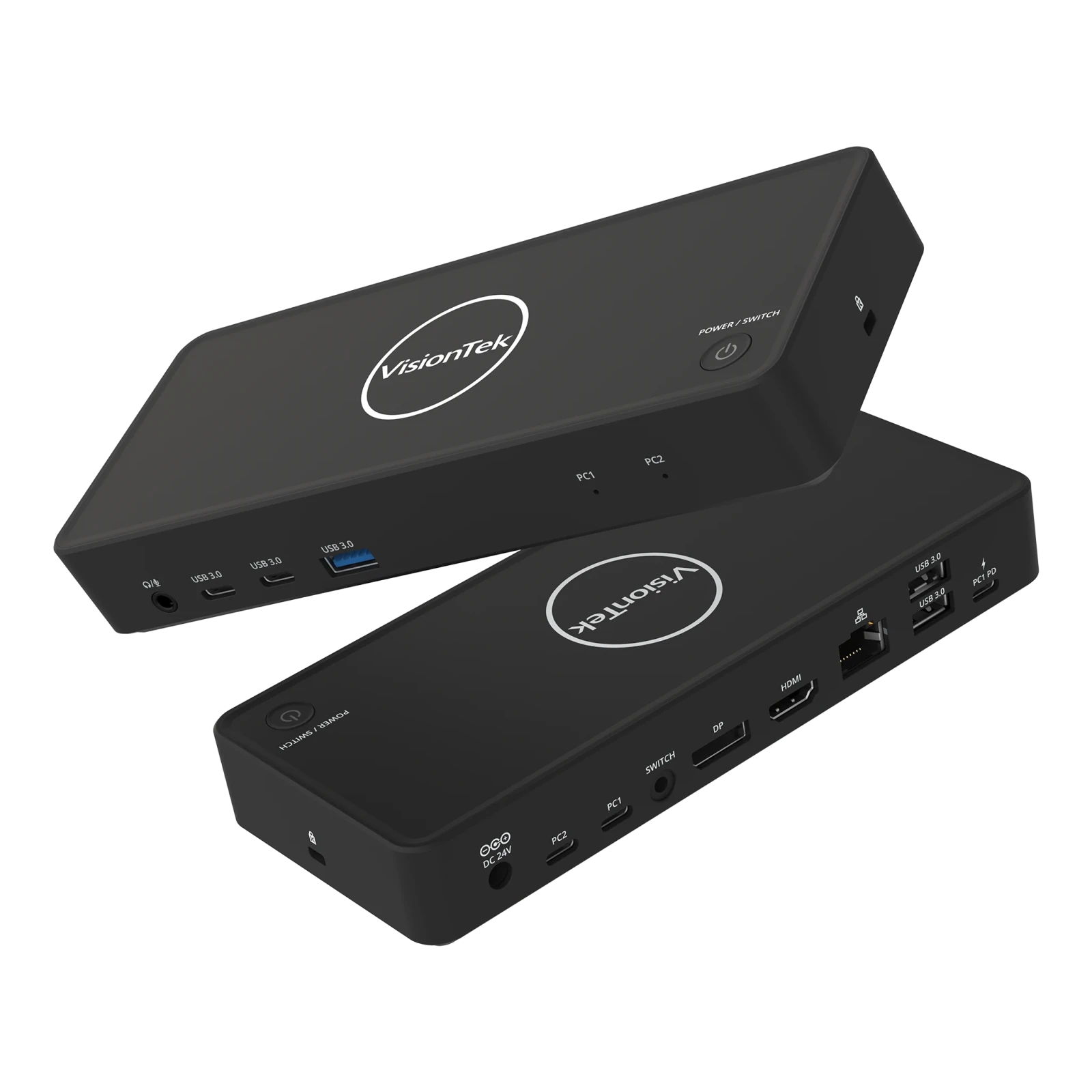
VisionTek VT2900 USB-C KVM Docking Station | Dual System Dock | DP Alt Mode | Dual Display | 100W Power Delivery | 130W Power Adapter Included | Best For Windows
The VisionTek VT2900 USB-C Docking Station with integrated KVM switch is built for professionals managing multiple systems who need reliable connectivity and seamless workflow transitions. Switch between two laptops using a single set of monitors, keyboard, mouse, and peripherals with the press of a button, eliminating cable swapping and reducing desk clutter. Expand your workspace with dual monitor support via HDMI and DisplayPort using USB-C DisplayPort Alt Mode. The VT2900 supports productivity-focused setups with essential connectivity including USB-A, USB-C, Gigabit Ethernet, and a 3.5mm audio jack. Power your primary laptop with up to 100W USB-C Power Delivery while maintaining fast 5Gbps data transfer speeds for connected devices. Compatible with Windows laptops that support DisplayPort Alt Mode. macOS supports a single external display. DESIGNED FOR HYBRID DESKS - Share one desk between your work and personal laptop with no cable swapping. KVM docking station for dual laptop control built for Windows users. macOS supports one extended display and mirrors the second. ONE-CLICK SWITCHING - Switch between two laptops in seconds using the built-in KVM button. Your keyboard, mouse, monitors, Ethernet, and audio move together with the active system. No unplugging, no interruptions. ALL YOUR PORTS, ONE DOCK - Connect everything through a single setup. Includes HDMI, DisplayPort, 3x USB-A, 2x USB-C, Gigabit Ethernet, and 3.5mm audio. Supports up to 5Gbps data transfer. Plug and play with no drivers required. POWER BOTH LAPTOPS - Charge your primary laptop with up to 100W USB-C Power Delivery (PC2). A second USB-C passthrough port allows you to connect another charger to power your second laptop at the same time. DUAL MONITOR SUPPORT FOR WINDOWS - Connect two 4K monitors via HDMI and DisplayPort for expanded workspace and multitasking. Windows supports dual extended displays using MST. macOS supports one extended display with the second mirrored. BUILT FOR WINDOWS LAPTOPS - Works with USB-C laptops supporting DisplayPort Alt Mode, including Dell XPS and Latitude, Lenovo ThinkPad, HP EliteBook, Microsoft Surface, ASUS, and Acer. Check your USB-C port for video support before purchase.
One platform to connect | Zoom
Modernize workflows with Zoom's trusted collaboration tools: including video meetings, Zoom Chat, VoIP phone, webinars, whiteboard, contact center, and events.

Desktop Neo – rethinking the desktop interface for productivity.
The desktop computer hasn’t changed much in the last 30 years. It’s still built on windows, folders and mouse input. But we have changed. We now use smartphones and tablets most of the time, since they are much easier to use.The traditional desktop computer is struggling to adapt the simple interfaces of mobile devices while also keeping its focus on productivity. With people switching to mobile devices for mundane tasks, we have the opportunity to rethink the desktop computer with a focus on getting professional work done.
Elon Musk's xAI plans to supply computing power to coding startup Cursor
Elon Musk's xAI is collaborating with Cursor, which is using xAI's GPUs for model training, people with knowledge of the matter said.
Stole this meme from pcmasterrace. Pretty relate-able.
655 votes, 41 comments. 1.4M subscribers in the MechanicalKeyboards community. /r/MechanicalKeyboards is about typing input devices for users of all…

after hours
This room needs a keyboard and mouse. It isn’t playable with touch controls.
Keyboard shortcuts
Learn more about keyboard shortcuts in Lightroom on the web to enhance your workflow.
Stuart K. Card and Thomas P. Moran, "User Technology—From Pointing to Pondering"
UHK trackball and key cluster module demo
Meet the new Cursor · Cursor
Cursor 3 is a unified workspace for building software with agents.
