

⌨️ Lists what keyboard shortcuts are claimed
Claude Code cheatsheet | Claude Help Center
This page collects the vocabulary, commands, and keyboard shortcuts that are worth committing to muscle memory. Keep it open in a browser tab (or printed beside your keyboard) during your first few weeks with Claude Code. Most of the friction new users hit comes from not knowing a command already exists for what they are trying to do, so a quick scan here before reaching for a workaround usually pays off.

Satisficing and the Use of Keyboard Shortcuts: Being Good Enough Is Enough?
Keyboard shortcuts are generally accepted as the most efficient method for issuing commands, but previous research has suggested that many people do not use them. In this study we investigate the use of keyboard shortcuts further and explore reasons why they are underutilized by users. In Experiment 1, we establish two baseline findings: (1) people infrequently use keyboard shortcuts and (2) lack of knowledge of keyboard shortcuts cannot fully account for the low frequency of use. In Experiments 2 and 3, we furthermore establish that (3) even when put under time pressure users often fail to select those methods they themselves believe to be fastest and (4) the frequency of use of keyboard shortcuts can be increased by a tool that assists users learning keyboard shortcuts. We discuss how the theoretical notion of ‘satisficing’, adopted from economic and cognitive theory, can explain our results.
Keyboard Checker | The best online keyboard tester
Test all keys on your keyboard with this easy-to-use website. Works with any keyboard and any browser. Simply press any key to test it.
Keyboard shortcuts
Learn more about keyboard shortcuts in Lightroom on the web to enhance your workflow.
How an accessibility designer adds keyboard shortcuts to a web app
Keyboard shortcuts occupy a strange area for web design.
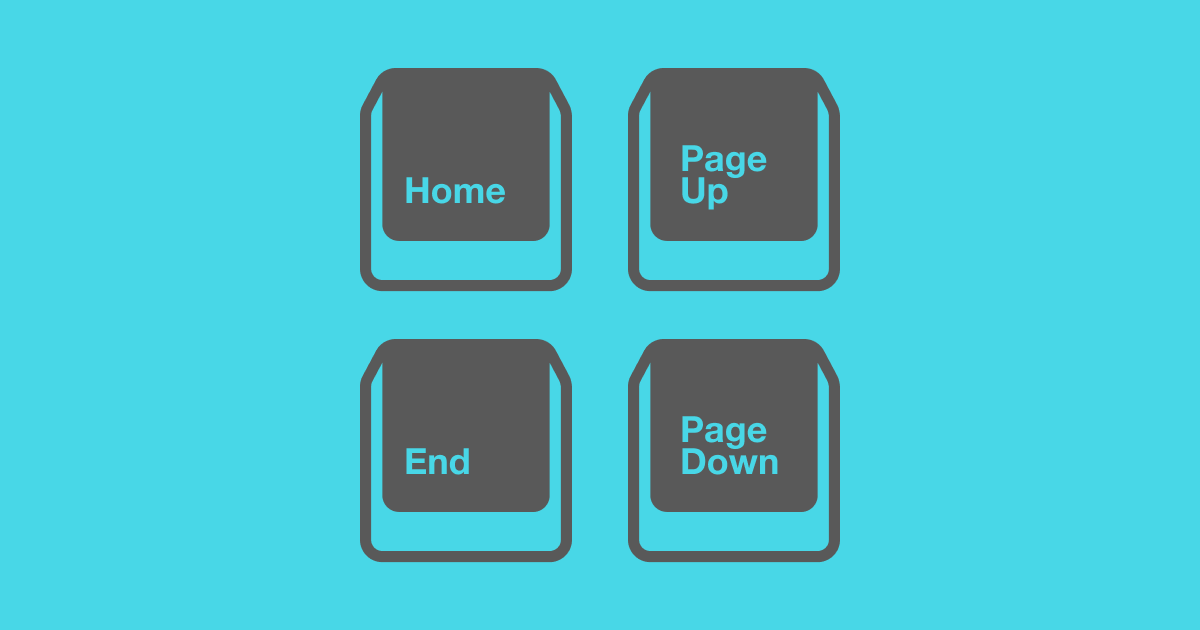
Stole this meme from pcmasterrace. Pretty relate-able.
655 votes, 41 comments. 1.4M subscribers in the MechanicalKeyboards community. /r/MechanicalKeyboards is about typing input devices for users of all…

Twiddler 4 - By Tek Gear
A one-handed keyboard and mouse that lets you type faster wherever you go.
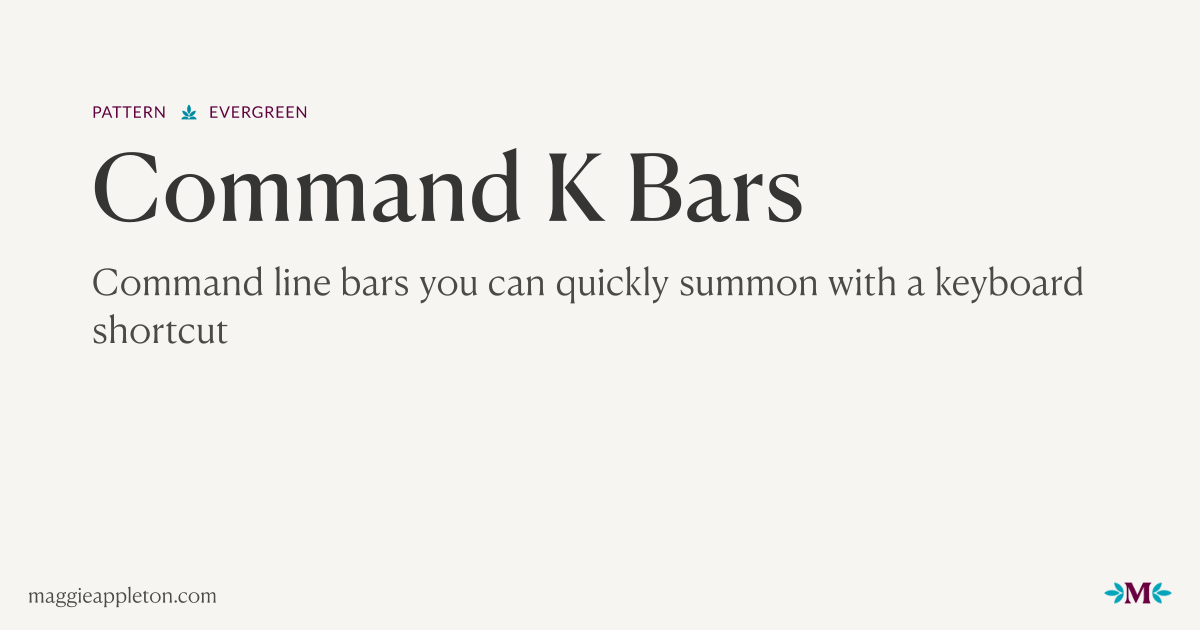

VibeKeys - The Ultimate AI Coding Keypad
A programmable keypad built for AI-first developers. Voice input, rotary knob, and remappable keys for Claude Code. From $29.
darrenburns/elia
A snappy, keyboard-centric terminal user interface for interacting with large language models. Chat with ChatGPT, Claude, Llama 3, Phi 3, Mistral, Gemma and more.

Karabiner-Elements
Karabiner-Elements A powerful and stable keyboard customizer for macOS. Download v16.1.0 Toggle Dropdown Download v16.1.0 For macOS 27 Golden Gate For macOS 26 Tahoe For macOS 15 Sequoia For macOS 14 Sonoma For macOS 13 Ventura Download v14.13.0 For macOS 12 Monterey For macOS 11 Big Sur Download v13.7.0 For macOS 10.15 Catalina (10.15.6 or later) Download v12.10.0 For macOS 10.15 Catalina For macOS 10.14 Mojave For macOS 10.13 High Sierra For macOS 10.12 Sierra Download v11.6.0 For macOS 10.11 El Capitan Download v10.22.0 For macOS 10.11 El Capitan For macOS 10.10 Yosemite For macOS 10.9 Mavericks Learn more Privacy Supported systems macOS 27 Golden Gate macOS 26 Tahoe macOS 15 Sequoia macOS 14 Sonoma macOS 13 Ventura Both Intel-based Macs and Apple Silicon Macs are supported. Predefined rules by community Release notes GitHub Sponsor Easy to use You can configure simple key mappings from GUI.
Zathura Keyboard Shortcuts - Make Tech Easier
Zathura is a minimal, yet powerful document reader for Linux. Learn how you can use it effectively with this list of keyboard shortcuts.

Kontrol S88 Mk3 88-key Smart Keyboard Controller
Seize Kontrol of Your Sound Like Never Before Since the inception of the Kontrol smart keyboard controllers, Native Instruments has embarked on an uncompromising odyssey to bridge the physical and digital divides, seamlessly integrating their cutting-edge NKS technology with nuanced, tactile control that makes any Virtual Instrument feel as real as possible. With the Kontrol S Mk3 controllers, they’ve elevated the series to new heights of expressivity, available in 49-, 61-, and 88-key options and loaded with cutting-edge Fatar keybeds developed in collaboration with Native Instruments to ensure that the highly detailed polyphonic aftertouch captures every nuance of your sound. While the S49 and S61 feature semi-weighted keys, the S88 boasts one of the world’s first widely available hammer-action polyphonic aftertouch controllers, blending worlds of sound, form, and function like never before. You also get NKS 2 (Native Kontrol Standard 2), which provides a level of software integration you can't find anywhere else. Producers and keyboardists at Sweetwater are amazed by this keyboard’s comprehensive control, not just for expanding the DAW integration of its predecessors to go far beyond simple transport controls, but for its future-minded design via MIDI 2.0 compatibility and USB-C MIDI. Mk3: an elevated expressive experience With the Kontrol keyboard controllers, expressivity has never been more nuanced. Onboard polyphonic aftertouch provides detailed control of each note, letting you engage changes in pressure and velocity across chords to elicit evocative passages and progressions. A deeply customizable suite of modulation-wheel assignment options enables you to masterfully manipulate pitch, cutoff, vibrato, and virtually any additional parameter found within your plug-in of choice. If impressive flexibility with the modulation and pitch wheels wasn’t enough, you’ll find a dedicated Touch Strip nearby, facilitating a new dimension of uninterrupted expressivity. What’s more, because each keybed was developed in collaboration with Fatar, it captures not just the nuances of each manner of expression, but is fully calibrated for the extreme resolution of MIDI 2.0 and the creative possibilities that it affords on any manner of instrument or control. Komplete integration, designed for the future The face-lifted Kontrol keyboard’s interface maximizes depth of control while streamlining the user experience with excellent ergonomics. A rugged, durable housing comprises CNC-machined anodized aluminum that’s been bead blasted for a frame that’s as sturdy as it is aesthetically satisfying. Its vivid, full-color display enables detailed control of any NKS instrument. At the same time, its eight knobs, 4D encoder, and versatile soft switches can be tailored for virtually any performance, composition, or arrangement functionality your DAW has available. Instrumental integration goes further than ever, thanks to the newly reimagined Light Guide: RGB backlighting accompanies every key, button, and encoder, as well as the touch strip and pitch and modulation wheels. Use these to stay in key, assign zones and switches, indicate scales, and much more to let you focus on the most important aspects of your playing. Keep yourself connected in any rig Native Instruments has prioritized integration with each iteration of the Kontrol S Smart Keyboard Controllers, and the Mk3 continues this capacity for accommodation with more customization than ever before. Its USB-C bus-powered architecture supports MIDI connectivity over USB for seamless use with your DAW. The onboard 5-pin DIN MIDI I/O vastly expands interoperative possibilities well beyond the digital frontiers of your NKS virtual instruments, transmitting polyphonic aftertouch data for compatible instruments and devices. You’ll also find a quartet of 1/4-inch TRS jacks for flexible pedal usage: one for sustain, one for expression, and two assignable inputs that can facilitate any number of supplementary control or expression options. Includes an expansive software library Your purchase grants you access to an expansive software suite to further enhance the controller’s functionality. The software bundle includes Native Instruments’ sensational Komplete 15 Select and so much more. And thanks to the NKS 2 standard, your new Kontrol S keyboard controller integrates perfectly with each piece of software. With its impressive free software bundle and deep integration, it’s hard to go wrong with a Kontrol S keyboard controller. Software titles included: A free Kontakt instrument of your choice Komplete 15 Select Komplete Kontrol Stradivari Cello Guitar Rig LE Elements Suite Hypha Ableton Live Lite Native Instruments Kontrol S88 Mk3 Features: Onboard polyphonic aftertouch means deep, customizable expression with your virtual instruments, breathing new life into every sound MIDI 2.0 compatibility means uncompromising control of your sound with stunning detail 1200 x 480mm high-resolution full-color display allows for precision browsing, tweaking, mixing, and more CNC-machined housing comprises anodized aluminum with a bead-blasted surface for a design that’s both aesthetically pleasing and engineered for long-term use RGB-backlit encoders, soft switches, buttons, keys, touch strip, and wheels enable the use of the extremely versatile Light Guide Redesigned Light Guide provides real-time and interactive information that includes scales, key zones, switches, and more Keybed was designed in collaboration with Fatar for unparalleled expressivity Expanded connectivity includes dedicated 1/4-inch jacks for sustain and expression pedals, as well as two more assignable jacks for flexible sonic control 5-pin DIN MIDI in/out allows for extensive interoperative use with most arrangements, including polyphonic aftertouch data for compatible instruments Ergonomic pitch and modulation wheels, as well as bidirectional Touch Strip, support versatile assignment options to maximize the potential of every supported DAW and NKS instrument 4-directional push encoder supplies one-handed sound browsing and project navigation USB-C bus-powered design doubles for MIDI over USB to reduce cable clutter while increasing data transmission speeds Tag-based unified browsing across all Komplete instruments lets you quickly find the sounds you want right from the hardware Dial in the main parameters of any Komplete instrument, which automatically map to the touch-sensitive controller knobs Create arpeggiated melodies at the touch of a button, play chords with single keys, or map the whole key range to scales Dedicated transport section gives full access to your DAW’s playback and recording controls, going far deeper than previous models for unmatched integration
