A Rust based DNS client, server, and resolver. Contribute to hickory-dns/hickory-dns development by creating an account on GitHub.
FOSDEM 2024 - Domain: A modular Rust DNS toolkit
The "domain" crate is a Rust library that aims to provide a wide range of building blocks that are necessary or useful when building specialised DNS applications.

Useful utilities and toys over DNS
Free and useful services over DNS accessible on command line
Serving DNS using a Peer-to-Peer Lookup Service
Download Citation | Serving DNS using a Peer-to-Peer Lookup Service | The current domain name system (DNS) couples ownership of domains with the responsibility of serving data for them. The DNS security extensions... | Find, read and cite all the research you need on ResearchGate

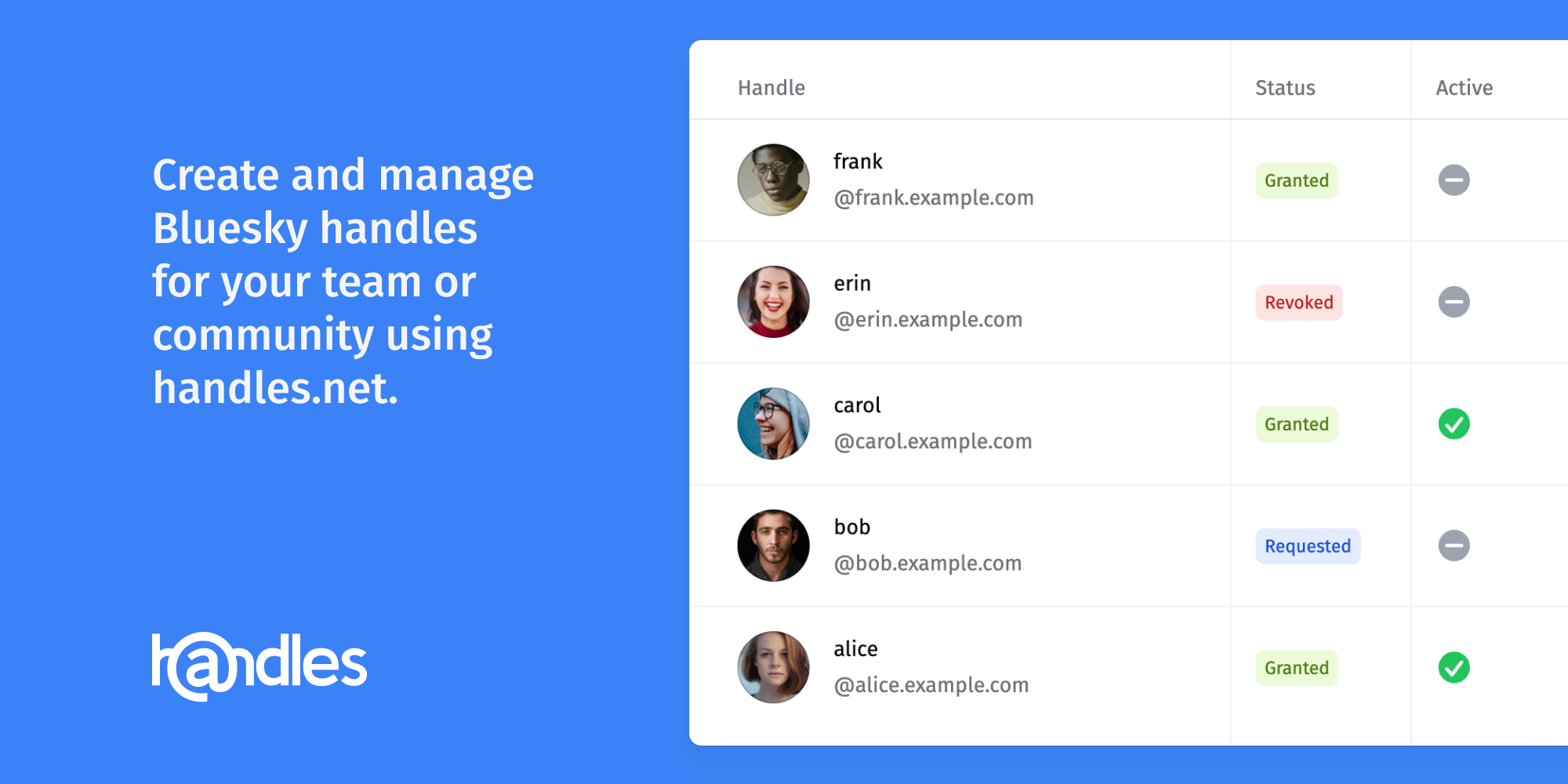
handles.net | Bluesky Handle Management
Create and manage Bluesky Handles at your domain without configuring DNS for every handle.
primus852/traefik-ddns
This repository provides configuration files and instructions for setting up a Cloudflare Dynamic DNS (DDNS) service and a Traefik reverse proxy with Let's Encrypt SSL/TLS support. It includes Docker Compose configurations, environment variable templates, and detailed usage instructions to automate DNS updates and manage SSL certificates.
Dynamic DNS (DDNS) for Home Server and VPS etc, Free!
Free Dynamic DNS (DDNS) by POP3,IMAP4,FTP,HTTP-BASIC for Home Server, Webcam, VPS. You can use many free sub domain, .jp, .net, .asia, etc.. DynDNS is not free
<nettime> DNS: A Short History and a Short Future (2/2)
[Date Prev] [Date Next] [Thread Prev] [Thread Next] [Date Index] [Thread Index]
federate.network - the door to the Federate Network
Join the Federate Network in three minutes: one DNS setting, then open home.fed. A human web, built by people.
mess with dns
It's fun to learn by experimenting and breaking things! Here you can do weird DNS experiments with no consequences if you mess something up.
DNS Filtering Services: Security & Network Protection | Control D
Control D's DNS filtering software blocks unwanted websites, prevents malware, enforces web policies, and strengthens network security in minutes.
Getting Started with Nickel « Oliver's Development Musings
This is part 2 of the Great Rust Web Experiment. For Part 1 see here. I’m building the same relatively small web-application in Rust using both Iron and Nick...
atproto-crates — AT Protocol building blocks for Rust
A Rust workspace of eighteen crates for AT Protocol: content addressing, DID and handle resolution, repositories and Merkle Search Trees, OAuth with DPoP, XRPC services, and event streaming.
Exploring Identities in the AT Protocol via Bluesky
The AT Protocol is an open, decentralized network for building social applications. Bluesky, a relatively new social network, is built on top of the AT Protocol. It recently piqued my interest as I came across this fascinating research paper Bluesky and the AT Protocol: Usable Decentralized Social Media. In this post, we’ll dive into one of the key elements of the AT Protocol: identities. We will start with Bluesky user handles, explore additional information about them, and see what else we can discover. DID Resolution A handle in Bluesky is associated with a DID, which can be resolved using DNS or HTTPS. decentralized identifier (DID) A globally unique persistent identifier that does not require a centralized registration authority and is often generated and/or registered cryptographically. […] Many—but not all—DID methods make use of distributed ledger technology (DLT) or some other form of decentralized network. From Decentralized Identifiers (DIDs) v1.0 The DID for @jay.bsky.team can be resolved via a DNS record. Example with dig: > dig _atproto.jay.bsky.team TXT [...] _atproto.jay.bsky.team. 14400 IN TXT "did=did:plc:oky5czdrnfjpqslsw2a5iclo" If you don’t have dig installed, try an online tool like nslookup.io. If no DNS TXT entry exists, the handle may resolve to a DID through a well-known HTTPS endpoint. Let’s take the example of @jamesgunn.bsky.social: > curl https://jamesgunn.bsky.social/.well-known/atproto-did did:plc:lotavzt36yanhfy3j3gpysyj If you don’t have curl installed, you can just open the link in your browser https://jamesgunn.bsky.social/.well-known/atproto-did. PLC Once you have a DID, examine the part after the first colon. This is known as the method. The above two examples use plc, which stands for Public Ledger of Credentials. These PLC DIDs can be looked up in the PLC directory at plc.directory. The AT Protocol also supports the web method, though we focus on plc here. We can use curl again to get more information about a DID. Let’s take @jay.bsky.team’s DID as example. > curl https://plc.directory/did:plc:oky5czdrnfjpqslsw2a5iclo/log | jq [ { "sig": "KuN3A61golVNSDU71wZKLP9lVuXk6YekJAz1lwDzrPsNTEWHBBW_8zSyV6pDxV4KiYXuAXlS1Ik47XkjQZ94mA", "prev": null, "type": "create", "handle": "jay.bsky.social", "service": "https://bsky.social", "signingKey": "did:key:zQ3shP5TBe1sQfSttXty15FAEHV1DZgcxRZNxvEWnPfLFwLxJ", "recoveryKey": "did:key:zQ3shhCGUqDKjStzuDxPkTxN6ujddP4RkEKJJouJGRRkaLGbg" }, { "sig": "TY3ot8yFF-0LL8ceoRwSGaNQj0F1aj-IApYXRGT21G1fnznKHUHT1QE7c1aTrYd9PQLVvXUGag6CZ9EEeIKqgA", "prev": "bafyreidswhiwi4ljkl4es4vwqhkas3spmmktortqbp6lkrb5v7qqdfr3mm", "type": "plc_operation", "services": { "atproto_pds": { "type": "AtprotoPersonalDataServer", "endpoint": "https://bsky.social" } }, "alsoKnownAs": [ "at://jay.bsky.social" ], "rotationKeys": [ "did:key:zQ3shhCGUqDKjStzuDxPkTxN6ujddP4RkEKJJouJGRRkaLGbg", "did:key:zQ3shpKnbdPx3g3CmPf5cRVTPe1HtSwVn5ish3wSnDPQCbLJK" ], "verificationMethods": { "atproto": "did:key:zQ3shXjHeiBuRCKmM36cuYnm7YEMzhGnCmCyW92sRJ9pribSF" } }, { "sig": "WmQmobHA6abtu8xIkBSrDkkoMNjOxP1Tl_1zl1DbIZlA9kjOyxjX-J1rzwWVy3stdzMowpBeBnedkAug84n_RQ", "prev": "bafyreicgb25yf5fro22oyhtkbgerzr4nume4sx757r525skxdzpeoeseha", "type": "plc_operation", "services": { "atproto_pds": { "type": "AtprotoPersonalDataServer", "endpoint": "https://bsky.social" } }, "alsoKnownAs": [ "at://jay.bsky.team" ], "rotationKeys": [ "did:key:zQ3shhCGUqDKjStzuDxPkTxN6ujddP4RkEKJJouJGRRkaLGbg", "did:key:zQ3shpKnbdPx3g3CmPf5cRVTPe1HtSwVn5ish3wSnDPQCbLJK" ], "verificationMethods": { "atproto": "did:key:zQ3shXjHeiBuRCKmM36cuYnm7YEMzhGnCmCyW92sRJ9pribSF" } }, { "sig": "dhstt4uPua8OVs8TVzHTqtCnNMsBDN7kjxIBmTIYBDRkknrtprBJ_AISXFoBZyqfoxq2altp-vlRAPEKSh5zeg", "prev": "bafyreihmf7dapx27fexc7jwj4cdpbxcmhnnwo3x5vrpvbr6lclzj7gpsmi", "type": "plc_operation", "services": { "atproto_pds": { "type": "AtprotoPersonalDataServer", "endpoint": "https://morel.us-east.host.bsky.network" } }, "alsoKnownAs": [ "at://jay.bsky.team" ], "rotationKeys": [ "did:key:zQ3shhCGUqDKjStzuDxPkTxN6ujddP4RkEKJJouJGRRkaLGbg", "did:key:zQ3shpKnbdPx3g3CmPf5cRVTPe1HtSwVn5ish3wSnDPQCbLJK" ], "verificationMethods": { "atproto": "did:key:zQ3shtJpFGgEG3tv3ERKvjo7VHbjDPVyvjYvW7gpie49rtNtc" } } ] Again, feel free to click on it instead, https://plc.directory/did:plc:oky5czdrnfjpqslsw2a5iclo/log. This returns a list of all operations that were performed on this DID. The first entry is the genesis operation — the one that created the DID. It is the only one where prev (previous entry) is null, because it is the first one. Note that the first entry of this DID’s log has a different format. This entry uses the legacy format. Currently, newly created DIDs use the new format (subsequent records), but @jay.bsky.team has been around for a while (the account belongs to Bluesky’s CEO). If you look through the logs you will notice a couple of changes that were made to her identity over time: the handle was changed from jay.bsky.social to jay.bsky.team (note that the legacy format used handle whereas the new format uses alsoKnownAs) the handle now includes at:// the personal data server changed from https://bsky.social to https://morel.us-east.host.bsky.network Signatures Each entry in the log includes a sig field, which contains the signature. This cryptographic signature is derived from the other fields in the entry. For the genesis operation, the rotationKeys (or signingKey for legacy) field contains the public key(s) of the key pair(s) with which the entry was signed. Subsequent operations need to be signed with the key from the previous entry. Additionally, the prev field references the previous entry. Creating a DID The identifier in the DID, which is the last part of the colon-separated string, is constructed from the genesis operation. For @jay.bsky.team: the identifier is oky5czdrnfjpqslsw2a5iclo the genesis operation is this JSON document: { "sig": "KuN3A61golVNSDU71wZKLP9lVuXk6YekJAz1lwDzrPsNTEWHBBW_8zSyV6pDxV4KiYXuAXlS1Ik47XkjQZ94mA", "prev": null, "type": "create", "handle": "jay.bsky.social", "service": "https://bsky.social", "signingKey": "did:key:zQ3shP5TBe1sQfSttXty15FAEHV1DZgcxRZNxvEWnPfLFwLxJ", "recoveryKey": "did:key:zQ3shhCGUqDKjStzuDxPkTxN6ujddP4RkEKJJouJGRRkaLGbg" } Steps: encode the genesis operation in DAG-CBOR (this is a concise binary format and looks a bit like JSON) create a SHA256 hash of the encoded document encode the hash with base 32 and make its letters lowercase. take the first 24 characters add did:plc: as a prefix to create the 32-character DID Verification Based on what we’ve learned so far we can verify a handle from Bluesky. For example, if we want to check @jay.bsky.team: resolve DID via DNS: did:plc:oky5czdrnfjpqslsw2a5iclo look up DID in PLC directory the handle in the alsoKnownAs (or handle for legacy) field must match jay.bsky.team verify all operations using the public keys and signatures reconstruct the DID from the genesis operation and ensure it is the same as the one we found in the DNS TXT record Can we trust the PLC directory though? Say a malicious actor has taken over control and modified all entries in the log. The hacker even constructed the entries in the log so that all the signatures appear valid. How would we still know the PLC directory is compromised? Remember that the DID can be reconstructed from the genesis operation. If that were modified, we’d end up with a different DID from the one we found in the DNS TXT record. Summary This blog explores the AT Protocol, the decentralized foundation of social applications like Bluesky, with a focus on user identities and their technical underpinnings. It explains how Bluesky user handles are associated with Decentralized Identifiers (DIDs), which can be resolved using DNS records or HTTPS endpoints. Detailed examples demonstrate how tools like dig and curl retrieve DID data, revealing the method (plc) and structure used to catalog them in the Public Ledger of Credentials (PLC). The post also examines the DID lifecycle, showcasing how historical operations and changes—such as updates to handles or servers—are logged and accessible for transparency. There are several aspects that we did not investigate, such as: the web method for DIDs tombstone operations in the log recovery how exactly to construct the prev entry in the DID document what the other fields in the DID document mean If you are curious, the links in the next section will help you answer these questions. Links & Further Reading Bluesky Application AT Protocol AT Protocol Identity AT Protocol DID AT Protocol Handle Decentralized Identifiers (DIDs) v1.0 did:plc Method Specification Specification: DAG-CBOR
I've been pondering about having the browser resolve at:// URLs. I have been thinking that we could introduce a DNS-like (maybe DNS itself?) entity that goes from did:plc to URLs, the same way DNS goes from names to IP, and have the browser depend on that similar to how it depends on a DNS server.
oh i forgot i made a thing. domains finally registered and nameservers switched over. atproto.md a simple pdsls for your agents try it out, let me know what i should add. it’s also open source, it’s just a cloudflare worker: tangled.org/socialde.pt/atproto.md
https://atproto.md
atproto.md