

⚡️ Convert, compress, resize, annotate, markup, draw, crop, rotate, flip, align images directly in Obsidian. Drag-resize, rename with variables, batch process. WEBP, JPG, PNG, HEIC, TIF.
Digital Garden - Publish Obsidian Notes For Free
The Obsidian Digital Garden Plugin is a free and open source publishing tool for Obsidian.
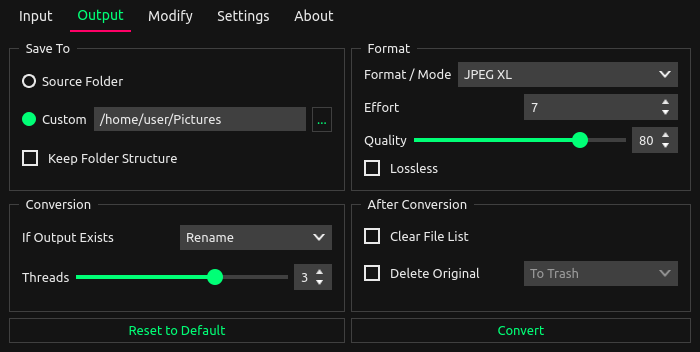
XL Converter - easy-to-use image converter for modern formats
Batch convert and compress your images.
Sora's Pixel Converter - Retro Pixel Art Generator
Convert images into pixel art with a retro Windows 95-style interface.

PowerToys Crop And Lock for Windows
Crop And Lock to crop a current application into a smaller window or just create a thumbnail.

VERT.sh — Free, fast, and awesome file converter
With VERT, you can quickly convert any image, video, audio, and document file. No ads, no tracking, open source, and all processing (other than video) is done on your device.

VERT.sh — Free, fast, and awesome file converter
With VERT, you can quickly convert any image, video, audio, and document file. No ads, no tracking, open source, and all processing (other than video) is done on your device.

How I use Obsidian
My personal Obsidian vault template. A bottom-up approach to note-taking and organizing things I am interested in.

Meet Eagle 4: Explore Plugin Center, New Design & More!
bradwenner.photo/obsidian-currents
Obsidian plugin to display Currents.is links as an image gallery
Paint.NET
You're probably looking for the Paint.NET application for Windows. Click here to go there!
Obsidian Web Clipper
Highlight and capture web pages in your favorite browser. Save anything and everything with just one click.

xe-darc/INSTALL.md at int · Agent54/xe-darc
An arc inspired next generation browser built with xenon and svelte. - Agent54/xe-darc
Lindenmayer Systems
Let me show you how to use Lindenmayer systems to produce beautiful images like this one:
Pele is a fast, beautiful, open source renderer for Mermaid diagrams we created for the next version of Obsidian. You can already try it in the Pele playground and integrate it into your own apps! 🌋 pele.run

Pele · Mermaid diagrams as themeable SVG
pele.run
kepano
This is Pele, my new rendering library for diagrams and charts, compatible with the latest Mermaid syntax. - 100-500× faster than mermaid.js - 6× smaller bundle - No dependencies - Easy to theme - Responsive to device width - Open source (MIT) Try it at pele.run
