Markdown-styled 'New Tab' page
Peersky Browser (@peersky@mastodon.social)
Attached: 1 image Tabs are now available in v1.0.0-beta.9 🚀 Create tab groups, view P2P sites with protocol indicators, and customize your browser with your own theme! Stay tuned for vertical tabs and web extensions! #PeerSky
Peersky Browser (@peersky@mastodon.social)
Attached: 3 images 📃 Vertical tabs are now available in v1.0.0-beta.11 Go to settings -> Tabs -> Enable vertical tabs Now, you can also view grouped tabs within the settings; peersky://settings/tabs
Google is building an experimental new browser and a new kind of web app
Meet the GenTab, nothing like the plain ol’ browser tab.

Vertical browser tabs are better and you should use them
Trust me, this is a better way to Chrome.

Styling Tables the Modern CSS Way
Modern CSS makes styling HTML tables in a considered, responsive nature a breeze. Michelle Barker breaks it all down for you in this deep dive.
OneTab extension for Google Chrome and Firefox - save up to 95% memory and reduce tab clutter
Whenever you have too many tabs, click the OneTab icon to convert them into a list. When you need them again, you can restore them one by one or all at once.
Satya Nadella on Twitter / X
Today we’re introducing Copilot Mode in Edge, our first step in reinventing the browser for the AI age.My favorite feature is multi-tab RAG. You can use Copilot to analyze your open tabs, like I do here with papers our team has published in @Nature journals over the last year.… pic.twitter.com/iF0gmbqTSW— Satya Nadella (@satyanadella) July 28, 2025

Adam Stern on Twitter / X
Vertical tab option is available today in @diabrowser! I've been loving switching between top/side tabs depending on the task. Here are a few technical details I'm most excited about… pic.twitter.com/WgryrTIVXu— Adam Stern (@adamstern_) July 7, 2025

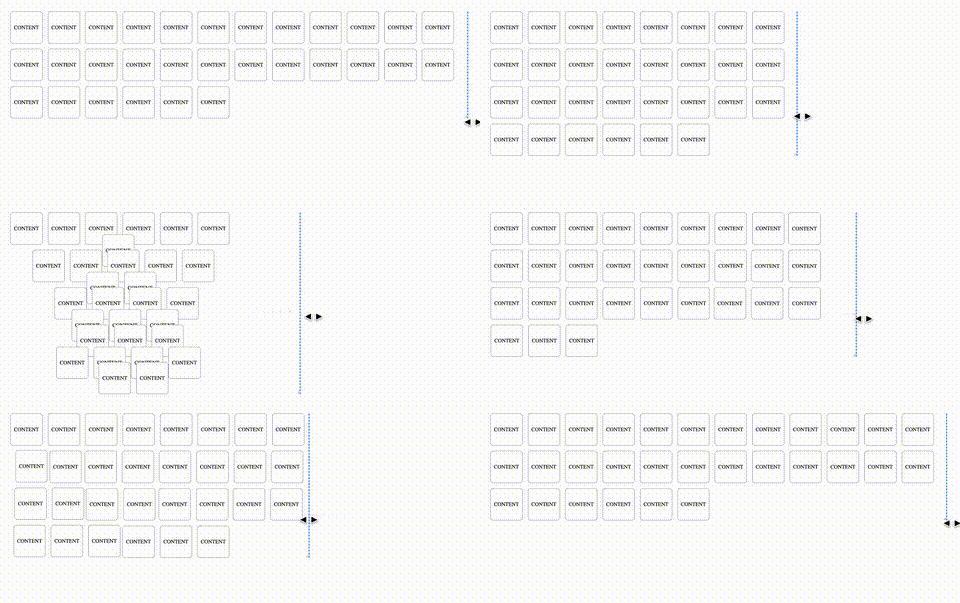
Animating CSS Grid Layouts with CSS Anchor Positioning
At CSS Day (back in June), someone asked me how Brave (the browser) might have built their New Tab Page which features some tiles laid out in a grid. While the grid is nothing spectacular, something special happens with it when you resize the viewport: as the available space changes, the grid nicely reorganizes itself in an animated way. The animations are also interruptible, so no View Transitions seem to be at play.So, how did they do it? I’m not sure. But if I were to recreate it, I’d use CSS Anchor Positioning with regular CSS Transitions on top.
New in Chrome 150 | Blog | Chrome for Developers
CSS text-fit property, Focusgroup declarative keyboard navigation, and CSS background-clip border-area.
1940631 - [meta] Implement tabGroups WebExtensions API
NEW (nobody) in WebExtensions - General. Last updated 2026-05-15.
samuelmaddock/electron-browser-shell
A minimal, tabbed web browser with support for Chrome extensions—built on Electron.
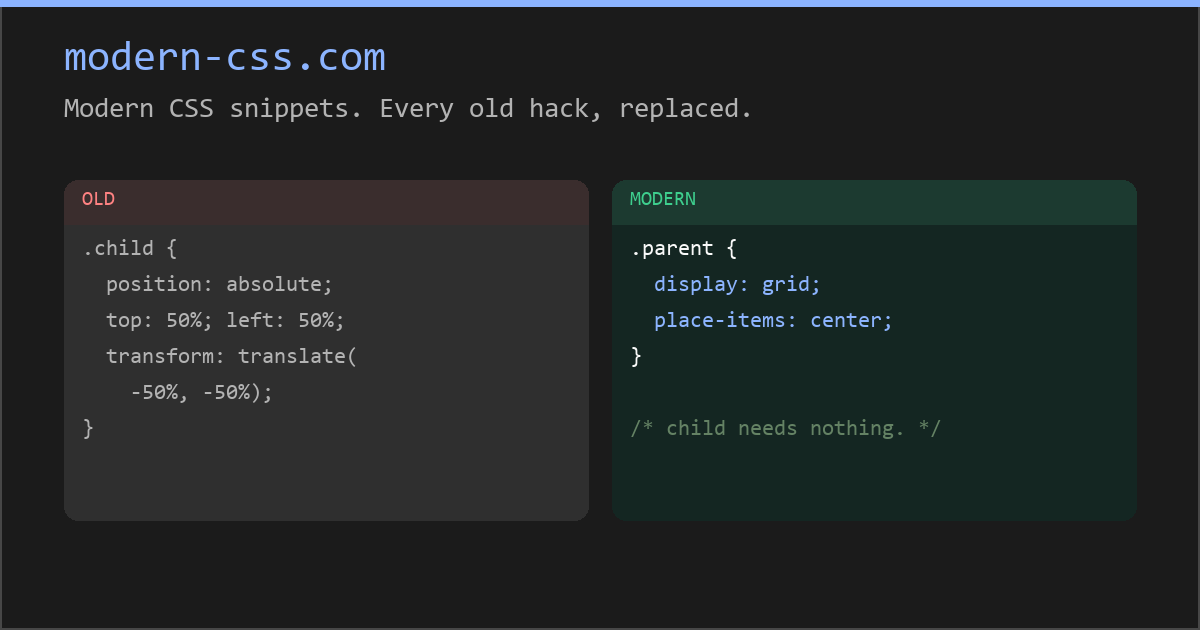
Modern CSS snippets. Every old hack, replaced.
Side-by-side comparisons of outdated CSS techniques and their modern native replacements. Grid, custom properties, nesting, container queries, and more.