

Low Quality Image Placeholders (LQIPs) are very small (both in terms of file size and pixel dimensions) images that load very quickly, providing immediate visual feedback while full-resolution images load slowly in the background. They are small-in-file-size enough that it’s feasible to base64-encode and inline them into a web page, minimizing network round-trips and improving page load times.
TinyPNG – Compress AVIF, WebP, PNG and JPEG images
Free online image optimizer for faster websites! Reduce the file size of your AVIF, WEBP, JPEG and PNG images while preserving the image quality.

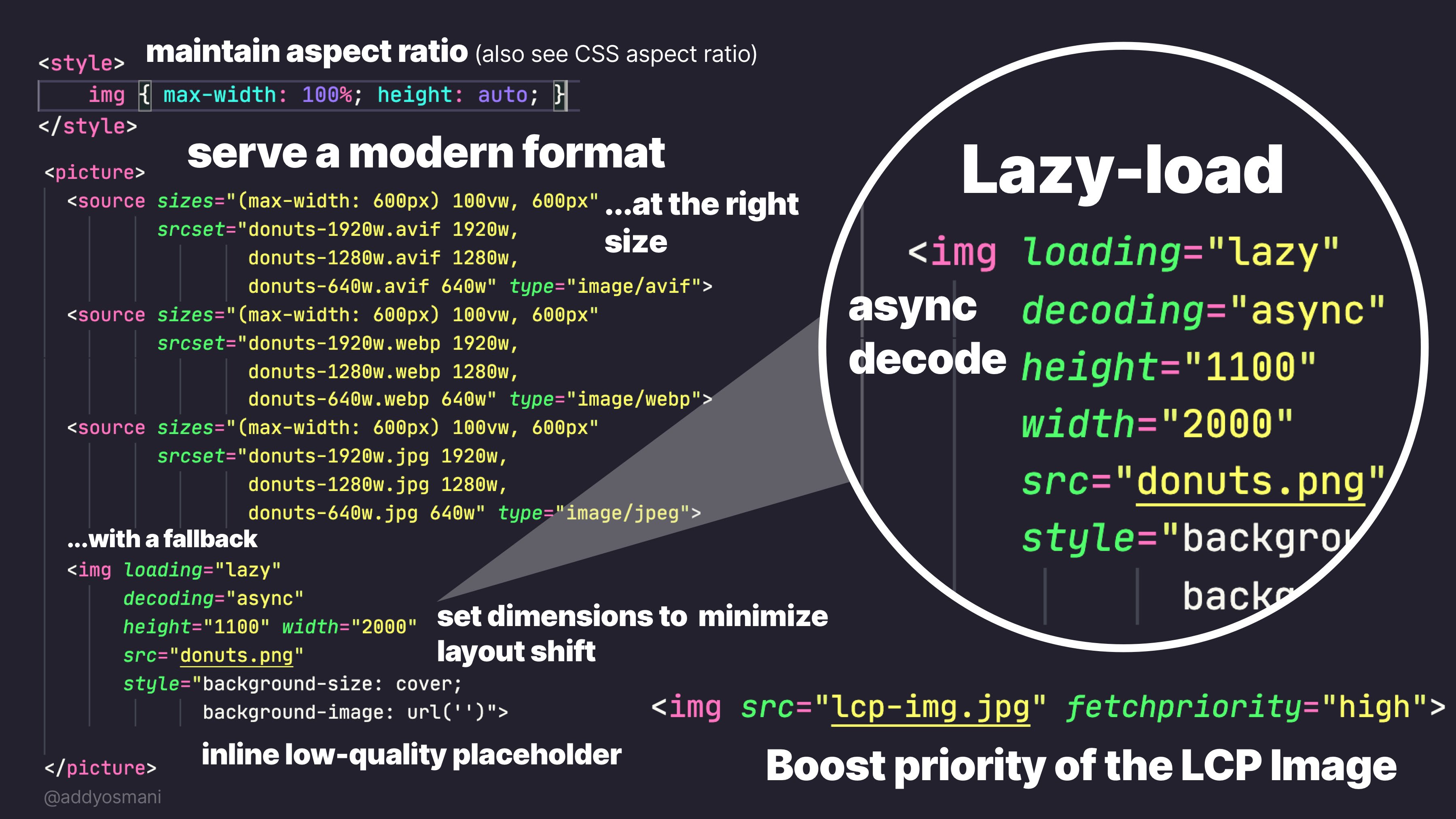
Practical guide to the <img> element: from the basics to LCP | Joan León
The <img> element has attributes that make a real difference in performance: loading, decoding, fetchpriority, srcset and sizes. A practical guide to using them well.
JPEG XL
The JPEG XL Image Coding System[8] (JPEG XL, sometimes shortened to JXL) is an image format that supports both lossy and lossless compression. It was developed by the Joint Photographic Experts Group (JPEG), Google and Cloudinary. It is a free and open standard defined by ISO/IEC 18181. The standard consists of four parts that cover the Core coding system, File format, Conformance testing, and Reference software, respectively.
Squoosh
Squoosh is the ultimate image optimizer that allows you to compress and compare images with different codecs in your browser.

image2cpp
image2cpp is a simple tool to change images into byte arrays (or arrays back into an images) for use with (monochrome) displays such as OLEDs on your Arduino or Raspberry Pi. It was originally made to work with the Adafruit OLED library (for which your can find an example sketch for Arduino here) but has been expanded by the community to be useful in all kind of (embedded) projects.
Fast real-time website screenshot API | Thum.io
Thum.io provides real-time desktop and mobile screenshots of websites as a service. We are the only website screenshot generator to live stream thumbnails. Try it for free!
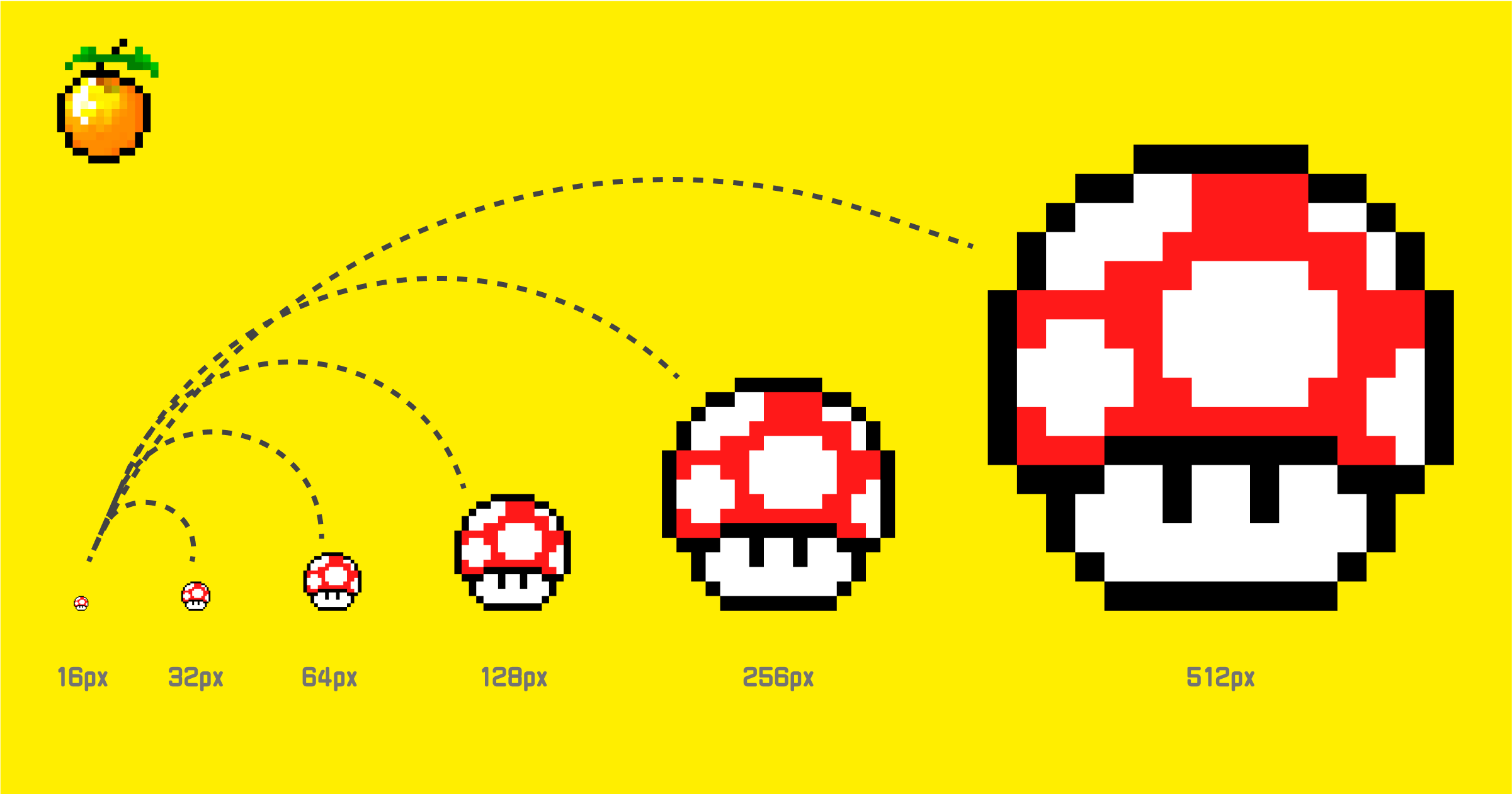
Preserving the Pixel Art Look in Web Content
Learn essential CSS techniques, scaling strategies, and design principles that preserve the crisp, totally-cool aesthetic of pixel graphics across high-resolution displays and responsive web environments.
Pasteboard - Uploaded Image
Pasteboard is the best way to share your screenshots and images online. It supports images of the formats JPEG, PNG, GIF, APNG and TIFF up to 5MB.

Pasteboard - Uploaded Image
Pasteboard is the best way to share your screenshots and images online. It supports images of the formats JPEG, PNG, GIF, APNG and TIFF up to 5MB.

Pasteboard - Uploaded Image
Pasteboard is the best way to share your screenshots and images online. It supports images of the formats JPEG, PNG, GIF, APNG and TIFF up to 5MB.

Pasteboard - Uploaded Image
Pasteboard is the best way to share your screenshots and images online. It supports images of the formats JPEG, PNG, GIF, APNG and TIFF up to 5MB.

Qwen
Qwen offers comprehensive functionality spanning chatbot, image and video understanding, image generation, document processing, web search integration, tool utilization, and artifacts.

Create and load standalone quantized UQFF models · Issue #947 · EricLBuehler/mistral.rs
I've been considering using mistral.rs for vision models as it's the only choice other than llama.cpp that support partial offloading; however, a few things I quickly noticed was that UQFF ...
🖼️ ATgallery

These are services for hosting or uploading images, from photography to digital art. #ATmosphereConf

あつめあっと (AtsumeAt)

did:pic - Apps on Google Play

did:pic App - App Store
momo — GIFs on AT Protocol

Pinkleap
Currents


