

A really common user interface pattern is a big clickable area, such as a card. Sometimes you need controls within that card that are also clickable. There's lots of ways to do it wrong, but fret not, Eric is here to show you how to do it right.
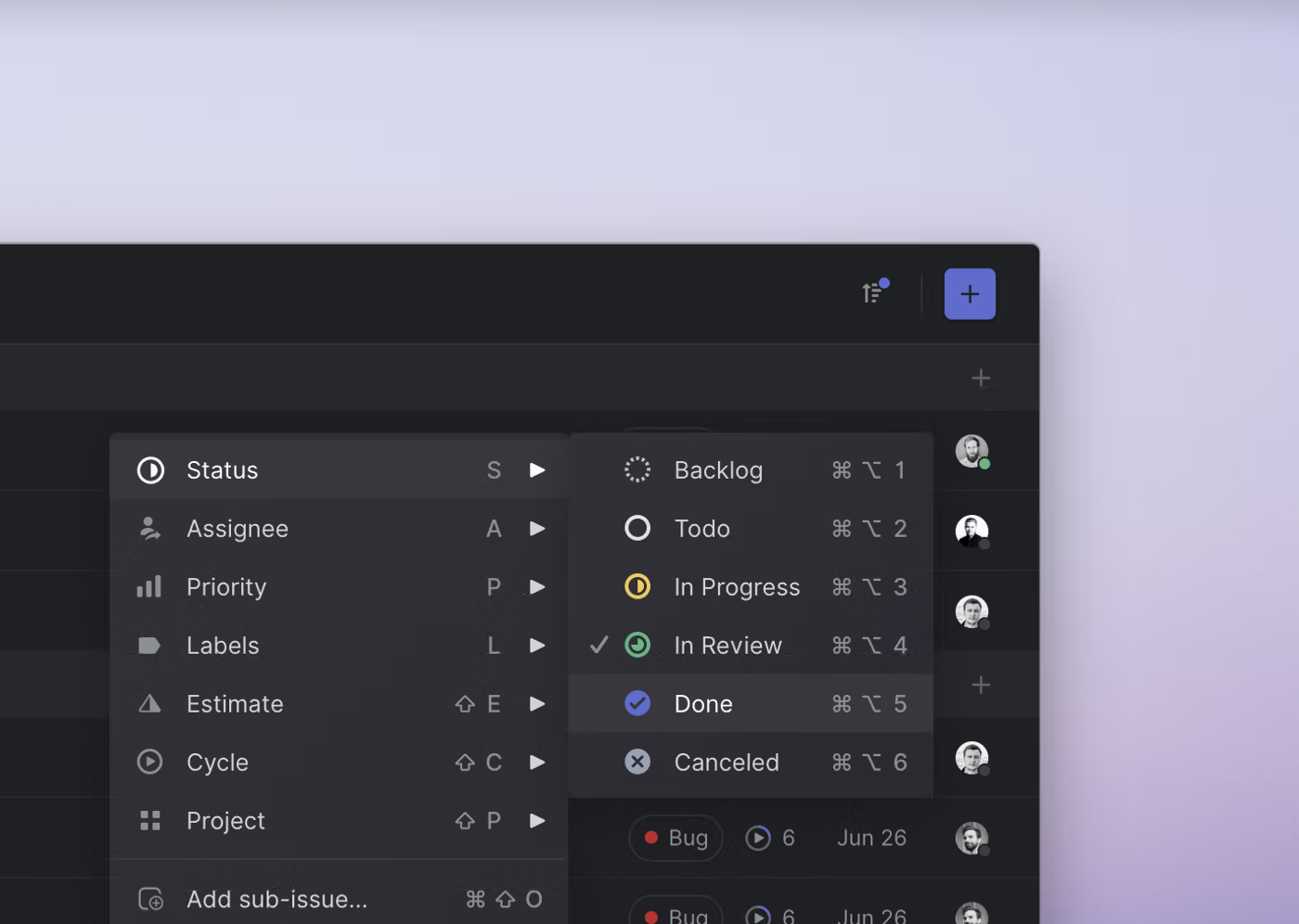
Invisible details - Building contextual menus - Linear
We recently added contextual menus to Linear. This makes the app faster and easier to use for people who prefer their mouse. One small thing that you won’t see or think about but will hopefully feel is a detail we designed into how sub-menus work.
after hours
This room needs a keyboard and mouse. It isn’t playable with touch controls.
User-tailorable systems: pressing the issues with buttons
As part of the Digital Library's transition to Open Access, new features for researchers are available in the Premium Edition. Click here to learn more.
simple-interaction-state/simple-focused-state.html at master · simple-elements/simple-interaction-state
Contribute to simple-elements/simple-interaction-state development by creating an account on GitHub.
MCP-UI | Interactive UI for MCP
Interactive UI for MCP - Build rich, dynamic interfaces with MCP-UI
Direct manipulation vs. interface agents
As part of the Digital Library's transition to Open Access, new features for researchers are available in the Premium Edition. Click here to learn more.
mdx-deck: slide decks powered by markdown and react
Why it's awesome, what it is, how it works, and how to use mdx-deck.
10/GUI
Here it is: my crazy summer project to reinvent desktop human-computer interaction. This video examines the benefits and limitations inherent in current mouse-based and window-oriented interfaces, the problems facing other potential solutions, and visualizes my proposal for a completely new way of interacting with desktop computers. There's more information at http://10gui.com .
Zag - Rapidly build UI components without sweating over the logic.
State machines for accessible, interactive and performant UI components

AI-Generated UI Is Inaccessible by Default
It doesn't mean you can't get AI to help with accessible code, you've just got to know what you're doing.
Selection Variants
View and control all nested variants and component properties in selection. Switch between variants without clicking through to find all the nested instances. Reduce the complexity of your design system by creating nested variants! Or simply use the to switch variants in bulk by selecting multipl...
Interactive connectors and MCP Apps | Claude
MCP Apps bring interactive connectors to Claude. Interact with connectors with a live UI right in your conversation — no tab-switching required.

Create a semantic breakout button to make an entire element clickable
Save 20% on all of our high quality, premium courses using the code NEXTLEVEL at checkout
+ ui primitives for navigating between, discovering them, managing them, etc ! (and on all the above, and the ones dan mentions, I don't think they need to look anything like the solutions we already have for these things, new ideas are possible!)

daniel holmgren 🫠
so you have a "universal" app that pulls together all these disparate highly-contextual apps. notifications for all of them in one spot, a algorithm/discovery for seeing updates across all of them, etc
