

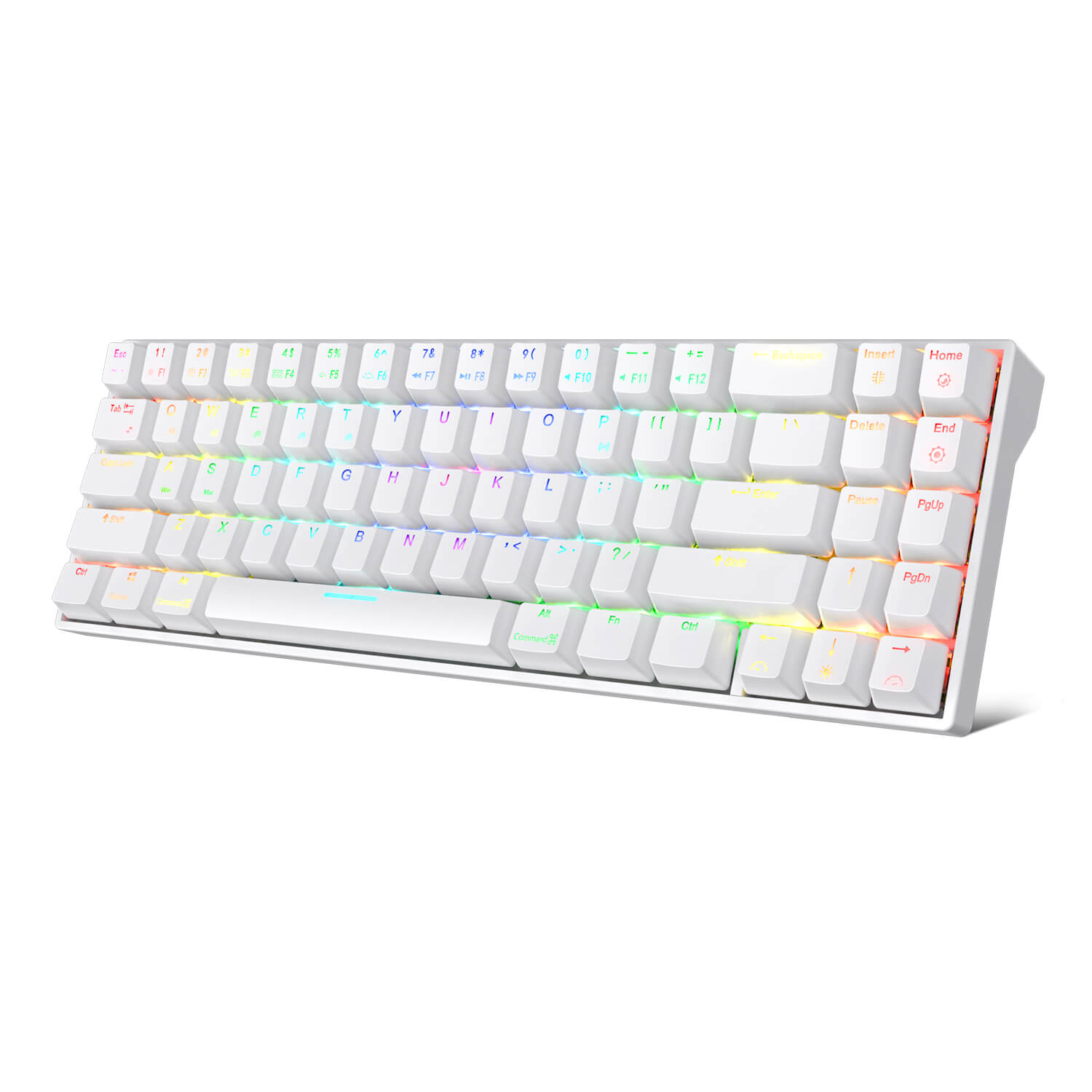
Win+Mac Design for All Users Press FN + A/S to easily switch between Windows and Mac devices, detailed Windows+Mac layout meets the needs of each user to work efficiently or gaming/working status switching. 10 Keys Anti-Ghosting in BT Mode Triggering 10 keys instantly in wireless mode is available and full keys rollover with the cable connected. You can register as many keys as you can press at once without missing out characters in different modes. Ergonomic 8° Angle or Add a Pad Foot The tested comfortable Ergonomic 8°angle might not meet every users’ need, so we give them another options to choose. Add a magnetic pad foot or not, is up to your definition of comfort. RK61 White RK84 White RK71 White RK68 White RK87 Wihte Keys Layout 61 keys 84 keys 71 keys 68 keys 87 keys Connection Bluetooth (3 devices) 2.4Ghz + Bluetooth (3 devices) Bluetooth (3 devices) Bluetooth (3 devices) 2.4Ghz Wireless Backlight Blue RGB RGB Blue RGB Switches Blue Brown Brown Brown Brown Size 289*103*39mm 315*125*39mm 330*102*37mm 309*103*39mm 360*135*39mm Weight 0.50kg 0.79kg 0.64kg 0.60kg 1.10kg Battery Capacity 1450mAh 3750mAh 1000mAh 1450mAh 1850mAh Software ✓ ✓ ✓ ✓ ✓
ROYAL KLUDGE RK71 71 Keys Wireless 70% RGB Mechanical Gaming Keyboard
Compact minimalistic layout with 71 keys makes you a neat desktop, even folks who have nothing to do with Minimalist will dive into its tiny practical design. Another creative breakthrough of RK71 is the high-performance driver, diverse RGB effects are adjustable with custom.
PC Gaming Gear | Wireless Mechanical Gaming Keyboard | RK ROYAL KLUDGE
RK Royal Kludge is relatively a newer company that specializes in wireless mechanical gaming keyboards including Royal Kludge RK61, RK84, RK87, RK71, etc, using Cherry MX switches (+clones) and electrostatic capacitive switches. Official Online Store with exclusive deals. Money back guarantee.


Keychron Q16 HE 8K Magnetic Switch Keyboard
The Keychron Q16 HE 8K is a wired magnetic switch custom gaming keyboard. Featuring advanced elements such as an 8K Polling rate and 256KHz single-key scanning rate, Keychron Ultra-fast Lime Magnetic Switch, a premium ceramic design with keyboard case and keycaps, advanced acoustic foam, the Q16 HE 8K enhances your gaming experience and elevates your performance.

Twiddler 4 - By Tek Gear
A one-handed keyboard and mouse that lets you type faster wherever you go.
UHK 60 v2
The UHK 60 is fully programmable, impeccably built, 60% split mechanical keyboard designed for extreme productivity and ergonomics. Make the most out of your UHK by reading its interactive onboarding manual! Key switch type Key switch type is the defining factor that determines the feel of any keyboard. We offer the following Kailh switch types; each has its character. Let us first look at the vertical axis of the matrix. You may already be familiar with regular MX switches on countless other keyboards. The box switches feel more precise and better protected from dust; we recommend them for the best typing experience. The silent switches make your UHK more bearable in noise-sensitive environments at the expense of some mushiness. For the matrix’s horizontal axis, we recommend clicky switches. They provide the best typing experience, but your environment may not tolerate their noise. Gamers often prefer linear switches; tactile switches are the best middle ground between typing and gaming. Switch name Feel Actuation force Audio sample Regular Brown Tactile 50 gf Play Regular Blue Clicky 50 gf Play Regular Red Linear 45 gf Play Box Brown Tactile 50 gf Play Box White Clicky 45 gf Play Box Red Linear 50 gf Play Silent Brown Tactile 45 gf Play Silent Pink Linear 35 gf Play If you're still not sure which switch to choose, we strongly recommend purchasing the UHK switch tester. Layout and keycaps The UHK keycaps are best-in-class double-shot PBT keycaps that offer excellent shine-through performance, and the legends are easy to read even when they’re not backlit. The surface of these keycaps never gets shiny with use, and their legends never fade. The keycaps’ side legends are silk printed. We don't offer custom keycap printing options, and you can only choose the ones provided. You can select English US (ANSI), English UK (ISO), Blank ANSI, or Blank ISO. Being a backlit keyboard, we implemented the blank option by placing small translucent dots on every keycap. All these keycap options are made of double-shot PBT. We only provide a bar-shaped Enter key. The main reason is that it's more ergonomic than the L-shaped Enter key, and it's super easy to get used to, even for ISO users. If you want a custom UHK 60 keycap set (not backlight-friendly, but high quality), design and order yours from Yuzu. They have presets for German, UK, Norwegian, Swedish, Danish, French, Italian, Spanish, Portuguese, Swiss, Colemak, Colemak-DH, and Dvorak layouts. We don't get any kickback from Yuzu. Box contents The following items are included: The UHK 60 v2 (left and right keyboard halves) Braided bridge cable (11 cm collapsed - 30 cm expanded, or 0.35 - 1 foot), or make a custom length bridge cable Braided USB-C to USB-C cable (180cm long, or 6 feet) USB-C to USB-A adapter Combined keycap and switch puller Four hot-swappable flip-out feet For maximum ergonomics (tenting and negative tilting), the UHK palm rest is strongly recommended. Tenting and tilting angles With the bundled flip-out feet, you can tent, positively tilt, and negatively tilt the UHK 60 with and without the palm rest. When the feet are assembled, you can unfold them for more elevation or fold them for less elevation. Negative tilting without the palm rest is only possible with closed feet. Combined tenting and tilting is not supported. The following angles are achievable with unfolded feet, with folded feet providing approximately half the unfolded angle: Tenting angle: 9° for the left half and 7° for the right half (both with and without palm rest) Negative tilting angle: 5.5° without palm rest (only with closed feet) and 7.3° with palm rest Positive tilting angle: 11° without palm rest and 6.3° with palm rest For a wider range of tenting angles, see Riser 60. Physical specifications (with and without palm rest) Keyboard weight: ~1 kg (2.2 lbs) Palm rest weight (both wooden and rubber): 0.5 kg (1.1 lbs) Width: 289 mm (11.38 inch) Left keyboard half (and also palm rest half) width: 135 mm (5.31 inch) Right keyboard half (and also palm rest half) width: 154 mm (6.06 inch) Keyboard height (without keycaps): 21 mm (0.83 inch) Keyboard height (with keycaps): 29 mm (1.14 inch) Palm rest height: 23mm (0.9 inch) Keyboard length: 132mm (5.2 inch) Palm rest length: 75mm (2.95 inch)

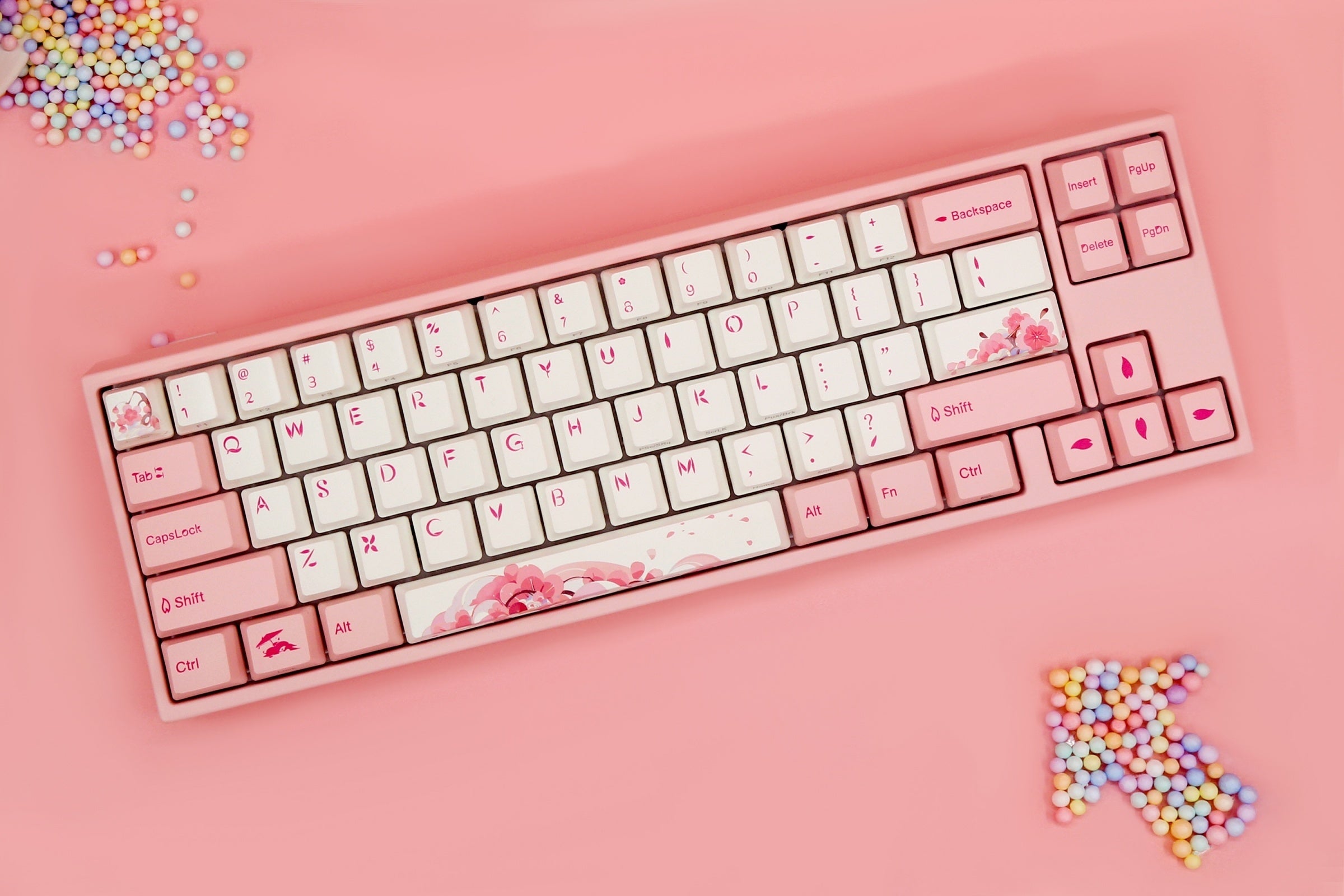
Ducky x Varmilo Miya Mac Pro Sakura Round 2 White LED 65% Double Shot PBT Mechanical Keyboard
Compact 65% form factor Designed to be compatible with most MacOS White LED backlight Thick Dye Sub PBT keycaps Two-stage height adjustable feet Updated Sakura colorway Miya Mac User Manual
Kontrol S88 Mk3 88-key Smart Keyboard Controller
Seize Kontrol of Your Sound Like Never Before Since the inception of the Kontrol smart keyboard controllers, Native Instruments has embarked on an uncompromising odyssey to bridge the physical and digital divides, seamlessly integrating their cutting-edge NKS technology with nuanced, tactile control that makes any Virtual Instrument feel as real as possible. With the Kontrol S Mk3 controllers, they’ve elevated the series to new heights of expressivity, available in 49-, 61-, and 88-key options and loaded with cutting-edge Fatar keybeds developed in collaboration with Native Instruments to ensure that the highly detailed polyphonic aftertouch captures every nuance of your sound. While the S49 and S61 feature semi-weighted keys, the S88 boasts one of the world’s first widely available hammer-action polyphonic aftertouch controllers, blending worlds of sound, form, and function like never before. You also get NKS 2 (Native Kontrol Standard 2), which provides a level of software integration you can't find anywhere else. Producers and keyboardists at Sweetwater are amazed by this keyboard’s comprehensive control, not just for expanding the DAW integration of its predecessors to go far beyond simple transport controls, but for its future-minded design via MIDI 2.0 compatibility and USB-C MIDI. Mk3: an elevated expressive experience With the Kontrol keyboard controllers, expressivity has never been more nuanced. Onboard polyphonic aftertouch provides detailed control of each note, letting you engage changes in pressure and velocity across chords to elicit evocative passages and progressions. A deeply customizable suite of modulation-wheel assignment options enables you to masterfully manipulate pitch, cutoff, vibrato, and virtually any additional parameter found within your plug-in of choice. If impressive flexibility with the modulation and pitch wheels wasn’t enough, you’ll find a dedicated Touch Strip nearby, facilitating a new dimension of uninterrupted expressivity. What’s more, because each keybed was developed in collaboration with Fatar, it captures not just the nuances of each manner of expression, but is fully calibrated for the extreme resolution of MIDI 2.0 and the creative possibilities that it affords on any manner of instrument or control. Komplete integration, designed for the future The face-lifted Kontrol keyboard’s interface maximizes depth of control while streamlining the user experience with excellent ergonomics. A rugged, durable housing comprises CNC-machined anodized aluminum that’s been bead blasted for a frame that’s as sturdy as it is aesthetically satisfying. Its vivid, full-color display enables detailed control of any NKS instrument. At the same time, its eight knobs, 4D encoder, and versatile soft switches can be tailored for virtually any performance, composition, or arrangement functionality your DAW has available. Instrumental integration goes further than ever, thanks to the newly reimagined Light Guide: RGB backlighting accompanies every key, button, and encoder, as well as the touch strip and pitch and modulation wheels. Use these to stay in key, assign zones and switches, indicate scales, and much more to let you focus on the most important aspects of your playing. Keep yourself connected in any rig Native Instruments has prioritized integration with each iteration of the Kontrol S Smart Keyboard Controllers, and the Mk3 continues this capacity for accommodation with more customization than ever before. Its USB-C bus-powered architecture supports MIDI connectivity over USB for seamless use with your DAW. The onboard 5-pin DIN MIDI I/O vastly expands interoperative possibilities well beyond the digital frontiers of your NKS virtual instruments, transmitting polyphonic aftertouch data for compatible instruments and devices. You’ll also find a quartet of 1/4-inch TRS jacks for flexible pedal usage: one for sustain, one for expression, and two assignable inputs that can facilitate any number of supplementary control or expression options. Includes an expansive software library Your purchase grants you access to an expansive software suite to further enhance the controller’s functionality. The software bundle includes Native Instruments’ sensational Komplete 15 Select and so much more. And thanks to the NKS 2 standard, your new Kontrol S keyboard controller integrates perfectly with each piece of software. With its impressive free software bundle and deep integration, it’s hard to go wrong with a Kontrol S keyboard controller. Software titles included: A free Kontakt instrument of your choice Komplete 15 Select Komplete Kontrol Stradivari Cello Guitar Rig LE Elements Suite Hypha Ableton Live Lite Native Instruments Kontrol S88 Mk3 Features: Onboard polyphonic aftertouch means deep, customizable expression with your virtual instruments, breathing new life into every sound MIDI 2.0 compatibility means uncompromising control of your sound with stunning detail 1200 x 480mm high-resolution full-color display allows for precision browsing, tweaking, mixing, and more CNC-machined housing comprises anodized aluminum with a bead-blasted surface for a design that’s both aesthetically pleasing and engineered for long-term use RGB-backlit encoders, soft switches, buttons, keys, touch strip, and wheels enable the use of the extremely versatile Light Guide Redesigned Light Guide provides real-time and interactive information that includes scales, key zones, switches, and more Keybed was designed in collaboration with Fatar for unparalleled expressivity Expanded connectivity includes dedicated 1/4-inch jacks for sustain and expression pedals, as well as two more assignable jacks for flexible sonic control 5-pin DIN MIDI in/out allows for extensive interoperative use with most arrangements, including polyphonic aftertouch data for compatible instruments Ergonomic pitch and modulation wheels, as well as bidirectional Touch Strip, support versatile assignment options to maximize the potential of every supported DAW and NKS instrument 4-directional push encoder supplies one-handed sound browsing and project navigation USB-C bus-powered design doubles for MIDI over USB to reduce cable clutter while increasing data transmission speeds Tag-based unified browsing across all Komplete instruments lets you quickly find the sounds you want right from the hardware Dial in the main parameters of any Komplete instrument, which automatically map to the touch-sensitive controller knobs Create arpeggiated melodies at the touch of a button, play chords with single keys, or map the whole key range to scales Dedicated transport section gives full access to your DAW’s playback and recording controls, going far deeper than previous models for unmatched integration

Karabiner-Elements
Karabiner-Elements A powerful and stable keyboard customizer for macOS. Download v16.1.0 Toggle Dropdown Download v16.1.0 For macOS 27 Golden Gate For macOS 26 Tahoe For macOS 15 Sequoia For macOS 14 Sonoma For macOS 13 Ventura Download v14.13.0 For macOS 12 Monterey For macOS 11 Big Sur Download v13.7.0 For macOS 10.15 Catalina (10.15.6 or later) Download v12.10.0 For macOS 10.15 Catalina For macOS 10.14 Mojave For macOS 10.13 High Sierra For macOS 10.12 Sierra Download v11.6.0 For macOS 10.11 El Capitan Download v10.22.0 For macOS 10.11 El Capitan For macOS 10.10 Yosemite For macOS 10.9 Mavericks Learn more Privacy Supported systems macOS 27 Golden Gate macOS 26 Tahoe macOS 15 Sequoia macOS 14 Sonoma macOS 13 Ventura Both Intel-based Macs and Apple Silicon Macs are supported. Predefined rules by community Release notes GitHub Sponsor Easy to use You can configure simple key mappings from GUI.
Products | shop.nitrokey.com
Shop all Nitrokey USB security keys. FIDO2, OTP, OpenPGP, encryption and enterprise HSM models available. Open source, no backdoors and made in Germany.

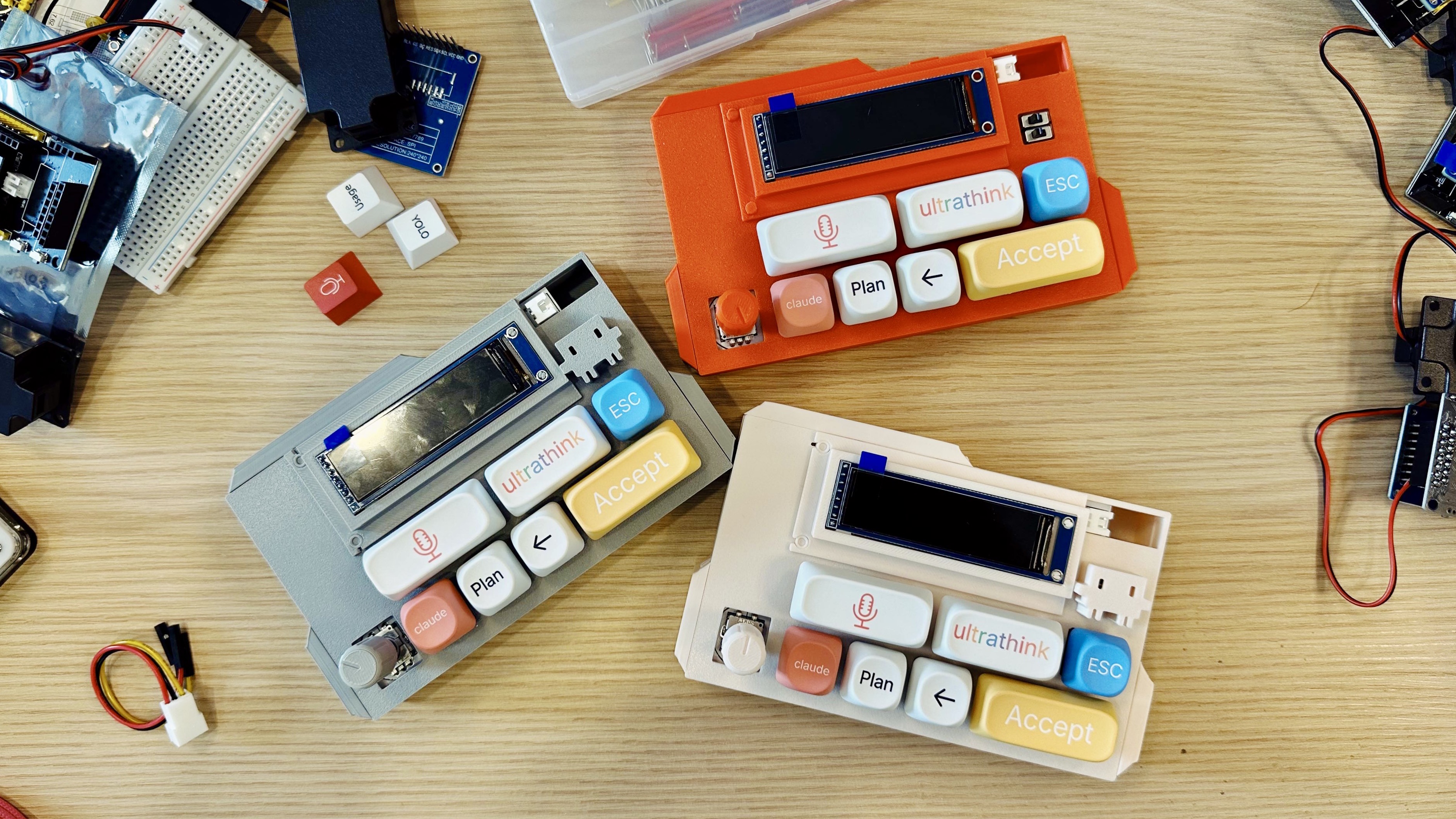
VibeKeys - The Ultimate AI Coding Keypad
A programmable keypad built for AI-first developers. Voice input, rotary knob, and remappable keys for Claude Code. From $29.
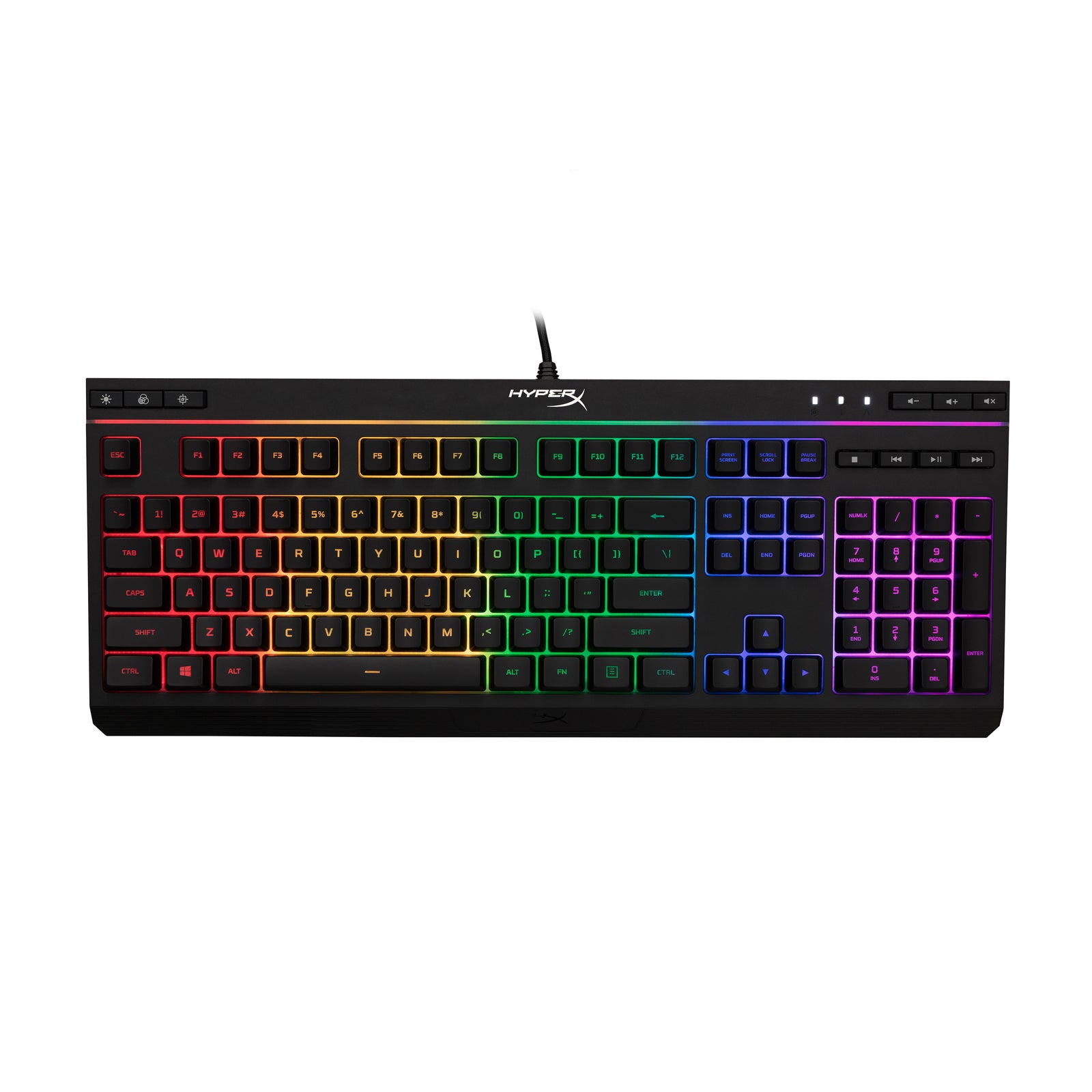
HyperX Alloy Core RGB – Gaming Keyboard
Featuring HyperX’s signature radiant light bar, and smooth, dynamic RGB lighting effects, the HyperX Alloy Core RGB™ is ideal for gamers looking to enhance their keyboard’s style and performance without breaking the bank. With six different lighting effects and three brightness levels, it balances b...
author's note and welcome
I didn’t mean to know about computers. I didn’t study them in school, though I enjoyed using the clackety-clack keys in grade nine keyboarding class. “Keyboa...
Apple’s $599 MacBook Neo boosts laptop repairability
Multiple teardowns and Apple’s own repair documentation suggest the new $599 MacBook Neo is unusually easy to service for a modern Apple laptop. Inside, the layout is simplified and comes apart quickly with standard Torx screws. Reviewers point to modular, swappable parts—USB‑C ports, speakers, and the headphone jack—plus a battery secured with screws instead of the strong adhesives and tapes that have complicated many prior Mac repairs. One standout change: the keyboard is replaceable as its own part, rather than forcing a swap of the entire “top case” assembly. That shift could cut both downtime and parts costs for common failures. Several outlets frame the Neo as Apple leaning further into Self Service Repair—and responding to broader right‑to‑repair pressure—which could be welcome for schools, businesses, and anyone trying to keep a budget laptop running longer instead of replacing it.

Layouts
Traditional keyboards force your fingers to move across an unnatural row-staggered layout. The evolution of ergonomic keyboards has progressed through layouts such as ortholinear, split ortholinear, column staggered, and splayed column staggered - each attempting to better match your hand's natural anatomy. Yet all the
