


Enter to win one of three Evernote Smart Notebooks by Moleskine. Sketch on paper and store drawings on your mobile device in Evernote. Its "Smart"
How to Use Evernote for Your Creative Workflow
Let’s imagine how you would use Evernote if you had a brain

How to Use Evernote for Your Creative Workflow - Forte Labs
By Tiago Forte of Forte Labs This post was republished on the Evernote blog. To learn more, check out our online bootcamp on Personal Knowledge

Evernote Android Update Brings A New Look, Smart Notebook Support
Evernote Android Update Brings A New Look, Smart Notebook Support

Supernote - Go Paperless with Our Digital Note-Taking Solution
Supernote is a modern E-Ink tablet and digital notebook designed for handwriting, note-taking, and sketching. Shop Supernote online today.

The Best Note-Taking Apps
We recently polled readers with suggestions for the best note-taking apps. Most of you said you still do things the old-fashioned way with pen and p

Windows 8 tablet, part one
Some background: I have been using Tablet PCs for a decade now. Back in the UO days, I always walked around with a paper notebook full of doodles, and I often sketch out design ideas as diagrams and quickie cartoons. With a pressure sensitive stylus I can also then do artwork directly — concept paintings (the sort of thing you then give to an artist so they can make the real concept painting…!) or game sprites or whatever. These days, I carry my iPad pretty much everywhere, and I can code on it a little bit, I can sketch on it, I doodle with it in Notes Plus, and I even have the Pogo Connect pressure-sensitive stylus, so I can use that for art. But I am working on the colored cartoons for the second edition of Theory of Fun, and none of the iPad art programs will successfully load the Photoshop files I need to work in. And I was in the market for a new laptop anyway, so I went shopping for a Windows 8 tablet.
OmniCanvas - Free Infinite Canvas Notes App
Free infinite canvas notes app for visual thinkers. Organize ideas spatially with drawing, linking, and collaboration.
Tiles Notebook | Note Taking Tool With AI Agents
A notebook that makes working with AI agents easier.
Best Notes App - Write and Organize with UpNote
UpNote is a clean and beautiful app for writing and organizing notes. It’s easy to use with rich features and delightful experience. Available on Mac, iOS, Android, Windows and Linux.
Wacom's Inkling Captures What You Draw On Paper Digitally (Amazing Video) | TechCrunch
Wacom has announced a pretty amazing product today, the Inkling. This so-called Digital Sketch Pen allows you to capture whatever you draw or write on a sketchbook or any kind of paper in digital form, "stroke by stroke". Just insert a sheet of paper or a notebook into the receiver, use the Inkling Digital Pen and transfer your works to your computer to refine them digitally anytime later. Wacom says that Inkling even lets users create layers in the digital file while sketching on paper, with the push of a button.

These Are the Best Notebooks
Having a favorite notebook is even dorkier than having a favorite pen . It’s a pile of paper that you write on. But the subtleties and special featur

PlayBook: A Programmable Paper Notebook
bangle-io/bangle-io
A web only WYSIWYG note taking app that saves notes locally in markdown format. v2: https://app.bangle.io/
Going Paperless: My Top 10 Saved Searches in Evernote
[I] tried to keep the big picture in mind when I first decided to go paperless. Reducing the clutter and having access to my documents from just about anywhere was important, but I saw two addition…

Note taking apps

Notes, Outliners, Markdown Editors, PKMs, Memexs, Second Brains, Commonplace books, and more
OmniCanvas - Free Infinite Canvas Notes App
Best Notes App - Write and Organize with UpNote
Antinote — a $5 scratchpad for macOS

NotePlan – Notes, Tasks and Calendar in One Daily Note
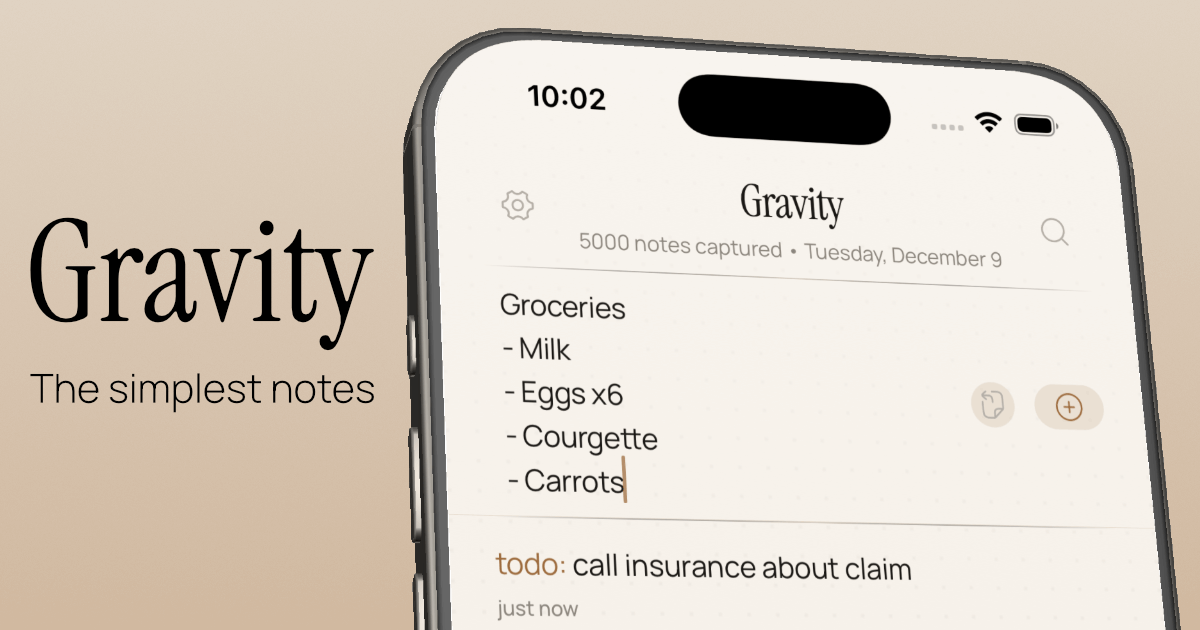
Let your thoughts sink in — Gravity
Knowledgebase Apps (by Boris) — Semble