A convenient component for contextualizing visual content for screen readers
A Deep Dive into Accessibility APIs, Part 1 — Knowbility
In this first Deep Dive into Accessibility APIs installment, we'll start from absolute scratch and recount the widely available basic story. It's written for beginners, but the fact that I describe web accessibility in the broader context of software accessibility might offer a different twist for current practitioners as well. Parts 2 and 3, on the other hand, are more technical. Although those discussions may largely be of interest only to "inquiring minds that want to know", understanding the history and variety of the specialized protocols at the heart of this process sheds light on why screen readers sometimes perform differently in the same application or on the same web site while also providing a glimpse of a likely future.

An introduction to screen readers
A screen reader allows people who are blind or visually impaired to use their computer. This factsheet provides an overview of the main screen readers available for people to use with their computer
Foundations: the accessibility tree - TetraLogical
There's a common misconception that when browsing the web using a screen reader, it's reading the actual screen. This is not really surprising, as the name suggests that's exactly what it's doing. And, this is what early screen readers did, so, we can't really blame anybody for thinking that!
Your Browser May Be Having a Secret Relationship with a Screen Reader: A Deep Dive into Accessibility APIs, Part 3 — Knowbility
The final installment of the three-part saga on the technical details of how screen readers communicate with other software.

GitHub repository landing pages now show an accessibility tab, if provided
I’m excited to see how people use this new addition to the platform.

Ubiquitous Accessibility for People with Visual Impairments: Are We There Yet?
Ubiquitous access is an increasingly common vision of computing, wherein users can interact with any computing device or service from anywhere, at any time. In the era of personal computing, users with visual impairments required special-purpose, assistive technologies, such as screen readers, to interact with computers. This paper investigates whether technologies like screen readers have kept pace with, or have created a barrier to, the trend toward ubiquitous access, with a specific focus on desktop computing as this is still the primary way computers are used in education and employment. Towards that, the paper presents a user study with 21 visually-impaired participants, specifically involving the switching of screen readers within and across different computing platforms, and the use of screen readers in remote access scenarios. Among the findings, the study shows that, even for remote desktop access—an early forerunner of true ubiquitous access—screen readers are too limited, if not unusable. The study also identifies several accessibility needs, such as uniformity of navigational experience across devices, and recommends potential solutions. In summary, assistive technologies have not made the jump into the era of ubiquitous access, and multiple, inconsistent screen readers create new practical problems for users with visual impairments.

Oatmeal - Screen readers
The aim here isn’t to teach you how to use a screen reader, nor really about how screen readers work. My aim is to help build a mental model of

brief history of browser accessibility support
Author: steve faulkner The Paciello Group contact: [email protected]
The Road to Good Intentions Is Paved with Hell: A Deep Dive into Accessibility APIs, Part 2 — Knowbility
This post is the second in a three-part series about how screen readers obtain what users need from applications and operating systems.
Introducing the Accessible Components Library - TetraLogical
We've open-sourced our Accessible Components Library, and, as you might expect, this includes the HTML, CSS, and JavaScript code. But, we thought, "Why stop there?" So, we've also published our documentation, including the accessibility requirements, test scenarios, and even the working automated tests which validate each one.
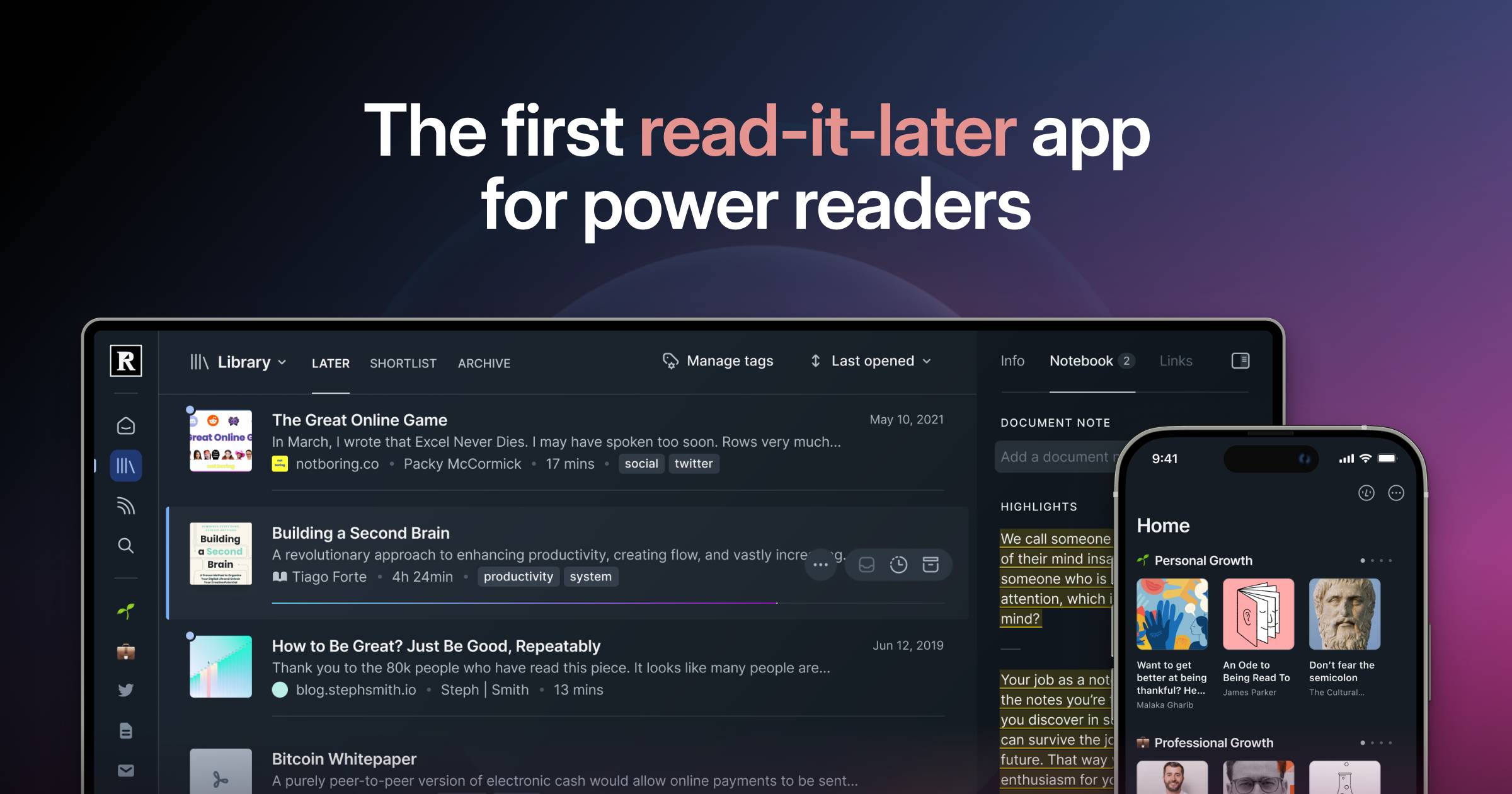
Readwise Reader: The first read-it-later app built for power readers.
Save everything to one place to overcome content overload, search instantly, and highlight like a pro.
An Open Letter to Matt Mullenweg on Accessibility in WordPress
October 18, 2026 Dear Mr. Mullenweg, I am writing to you publicly as a blind daily screen reader user, an IAAP Certified Professional in Web Accessibility (CPWA), and the publisher of Blind Access …

WaveringAna/atproto-ui
A React component library for rendering common AT Protocol records for applications such as Bluesky and Leaflet.
lukeslp/awesome-accessibility
Curated list of accessibility resources, tools, and best practices for creating inclusive digital experiences