


Trust me, this is a better way to Chrome.
Peersky Browser (@peersky@mastodon.social)
Attached: 3 images 📃 Vertical tabs are now available in v1.0.0-beta.11 Go to settings -> Tabs -> Enable vertical tabs Now, you can also view grouped tabs within the settings; peersky://settings/tabs
Adam Stern on Twitter / X
Vertical tab option is available today in @diabrowser! I've been loving switching between top/side tabs depending on the task. Here are a few technical details I'm most excited about… pic.twitter.com/WgryrTIVXu— Adam Stern (@adamstern_) July 7, 2025

How many browser tabs is too many? The science says 8. - Horse Browser
Chrome can technically run 9,000 tabs. Your brain starts to stress at 8. Here's the research, the real ceiling, and what actually fixes the gap.
Forget the Fate of Chrome, Focus on the Fate of the Browser
In debating what undoubtedly won't happen, we're looking past some key things that are -- and might...

Chrome
Google Chrome is a browser that combines a minimal design with sophisticated technology to make the web faster, safer, and easier.
samuelmaddock/electron-browser-shell
A minimal, tabbed web browser with support for Chrome extensions—built on Electron.
All of my 300+ browser tabs are beautiful—zachleat.com
A post by Zach Leatherman (zachleat)
Responsive iframes in Chrome 154 | Blog | Chrome for Developers
Chrome 154 adds support for responsively-sized iframes, letting an iframe size itself based on the intrinsic size of its embedded document.
Open tabs are cognitive spaces
Nobody actually wants to use a web browser. It becomes evident the second you open your browser and notice that you don’t have internet connection. What we like about browsers is what they offer on the other side. What they connect us to. In that sense, browsers are transitory spaces - similar to airports, planes and train stations. Most of us have lost our childish curiosity towards these spaces - we go there because we want to arrive somewhere else. Arriving somewhere else with early browsers was quite one-dimensional - you clicked your way from one website to the next, in the same window. You surfed. You bookmarked the pages that you wanted to return to. Later, as the web became richer, you sometimes had more than one browser window open. I vividly remember having seven Internet Explorer windows open, thinking to myself “this is way too much to keep track of!”. Right now, my Firefox has 477 tabs open. How could this happen? Tabs are externalized cognition
Flash and Chrome
Chrome will de-emphasize Flash in favor of HTML5, giving you improved security, reduced power consumption and faster page load times.

Surf the web on an infinite canvas. Meet Marble, a research browser I'm building
31 votes, 21 comments. Hi r/browsers . I'm the developer of Marble. I do a lot of research in the browser, and tabs kept failing me. Forty tabs into…
Chrome Web Store
Add new features to your browser and personalize your browsing experience.
Feeling overwhelmed by normal browsers? - Horse Browser
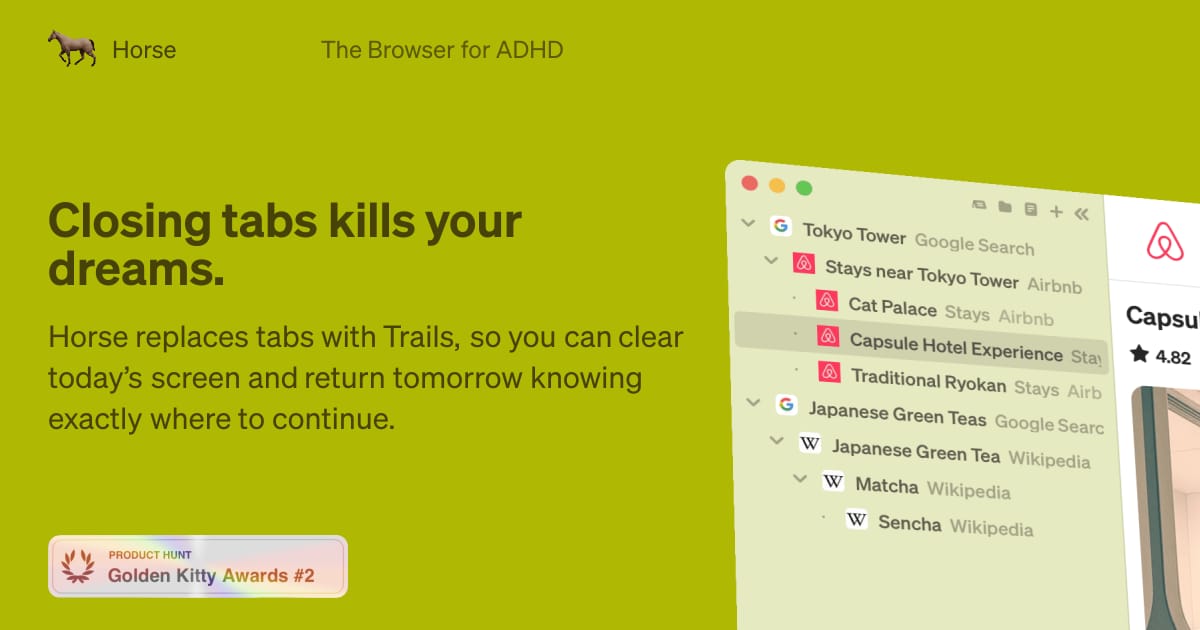
Your brain isn't broken. Your browser is. Horse Browser replaces tabs with Trails, a branching sidebar that keeps every page visible.
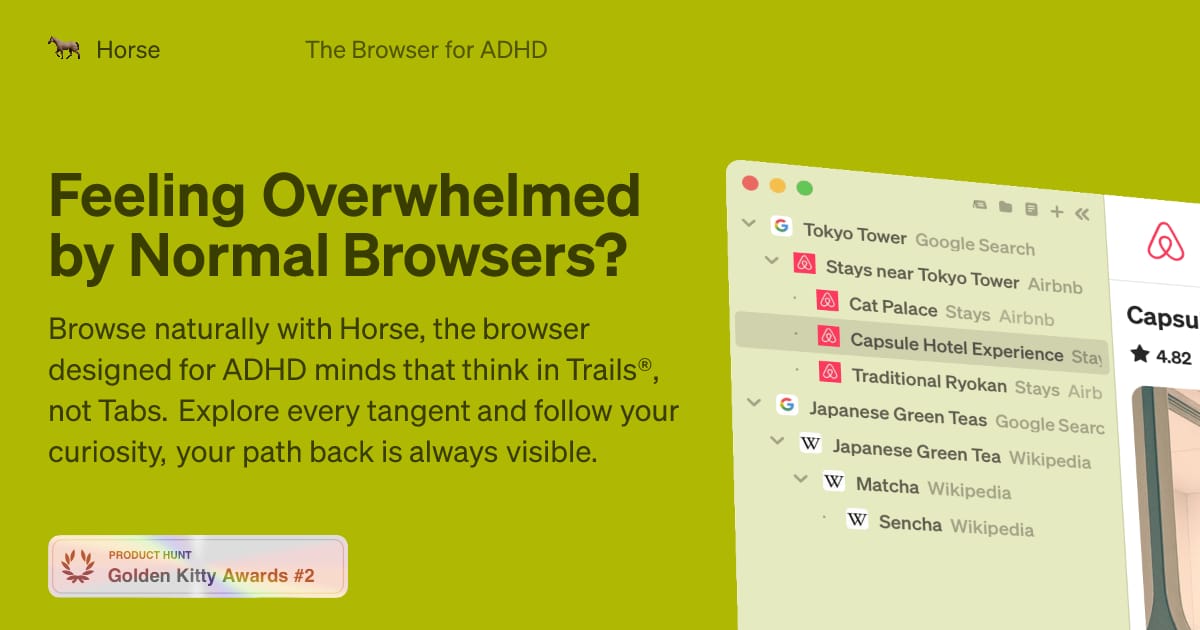
Feeling overwhelmed by normal browsers? - Horse Browser
Your brain isn't broken. Your browser is. Horse Browser replaces tabs with Trails, a branching sidebar that keeps every page visible.
I really need to get a better system for tab management (ANY system) because this is ridiculous 🙃 It gets worse too, this is just from one "Space"! I have four more. At least 800 on the active dev one. My poor Zen browser. I'm not even trying to hoard them, I just look stuff up, switch tabs, forget
For anyone else who can’t deal with the round tabs and/or wider sidebar and/or gradients on Firefox 157.0’s Nova UI Design, about:config → nova → browser.nova.enabled: false will save you (for now)

ホーンバックル
Just found this and haven't tried it yet, but it may be fixable: askvg.com/how-to-disable-nova-design-an…

