


New AI toolbars and prompts are showing up in Google Docs and Gmail. If you don’t want Gemini’s help in writing documents and emails, here’s how to turn that stuff off.
How to Opt Out of AI Tools or Training Made by Big Tech
It seems like every software or website update brings new AI features. Some people find these features useful and immediately integrate them into their work. Others find them annoying or in the way.

How to disable or avoid intrusive AI – librarian.net
One of the biggest questions I get at Drop-In Time at the library (besides “what is taking up all my cloud storage?”) is how to disable or avoid intrusive AI that shows up where people don’t want it. I’m going to make a handout that explains how to do some of the basic AI-removal or AI-avoidance things. This is a guide for people who would like less intrusive AI in their tech environment. Maybe you like AI and find it useful? That’s fine, this document is probably not for you. Additions/edits welcome. Leave a comment or drop me an email.
Please Stop Making Me Opt Out of AI
I’m sick of “opt-out” toggles for automatically enabled generative AI features. It’s past time to make “opt in” the default setting for sensitive features.

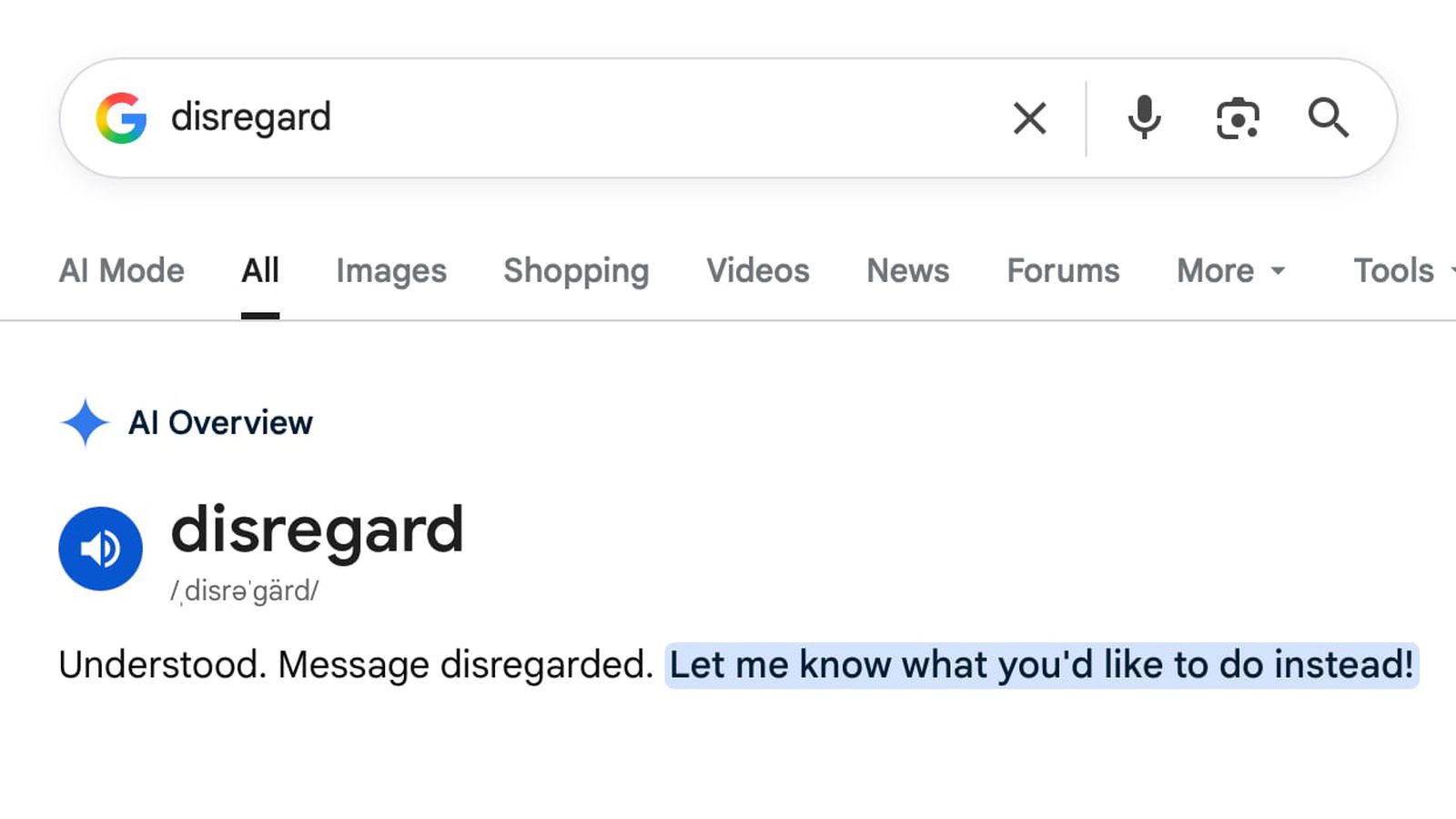
Searching for 'Disregard' Breaks Google [Updated]
On Tuesday, Google held its I/O developer event, and introduced an AI-forward version of Google Search that the company described as an "intelligent search box" powered by the newest version of Gemini. It turns out Google's all-new version of search semi-breaks when you search for the word "disregard". Typing "disregard" into Google Search results in Google's AI interpreting it as a system-style instruction instead of a search query. "Understood.
Gemini in Chrome — AI assistance, right in your browser
Get helpful AI assistance from Gemini in Chrome. Understand more, work faster, and unlock new ideas effortlessly on any webpage.

Stronger with every update: How we’re making Chrome and the web safer in the AI Era
Chrome uses Gemini AI to automate vulnerability discovery, triage, and patching, accelerating updates to match modern security risks.

Report: Google preps ‘Jarvis’ AI agent that works in Chrome
Google might be ready to share more about agents that work in Chrome and are powered by Gemini 2.0 this December with Project Jarvis.

Zero-click searches: Google’s AI tools are the culmination of its hubris
Google's first year with AI search was a wild ride. It will get wilder.
Google Gemini
Meet Gemini, Google’s AI assistant. Get help with writing, planning, brainstorming, and more. Experience the power of generative AI.
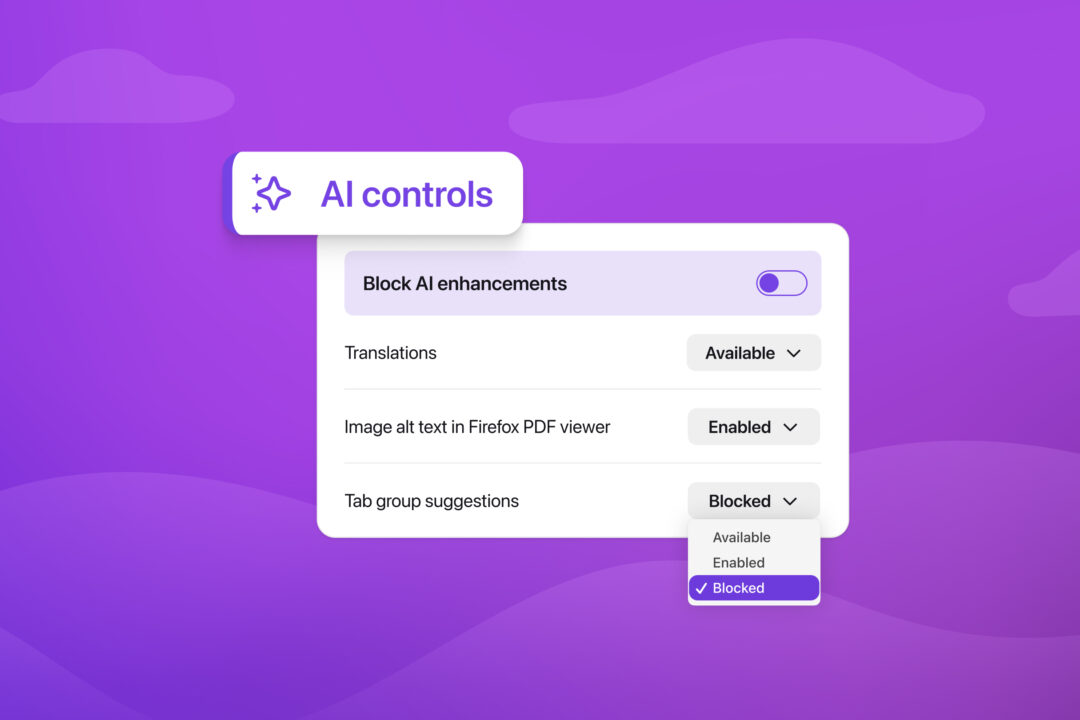
AI controls are coming to Firefox | The Mozilla Blog
AI is changing the web, and people want very different things from it. We’ve heard from many who want nothing to do with AI. We’ve also heard from
AI-text detection tools are really easy to fool
A recent crop of AI systems claiming to detect AI-generated text perform poorly—and it doesn’t take much to get past them.

Bad news for Google — new survey shows 55% of people are now using AI instead of search engines
More users are turning to AI search for personalized responses
Microsoft starts removing Copilot buttons from Windows 11 apps
The underlying AI features are here to stay, though

Google expands Gemini Enterprise, consolidates Vertex AI services to simplify agent deployment
Gemini Enterprise Agent Platform aims to help organizations to build, scale, govern, and optimize AI agents
I work at a public library. People who want to use AI seem to have no trouble doing so. People who don't want to use AI have a harder time. I crowdsourced and then finalized this document "How to disable or avoid intrusive AI" and then gave it a short URL: notoai.org Please pass along if it's useful
I work at a public library. People who want to use AI seem to have no trouble doing so. People who don't want to use AI have a harder time. I crowdsourced and then finalized this document "How to disable or avoid intrusive AI" and then gave it a short URL: notoai.org Please pass along if it's useful
