

How I built myself a simple wiki using folders and files and published via Jekyll
Get Started With GitHub Pages (Plus Bonus Jekyll)
Anna Debenham guides us through the basics of using GitHub Pages with Jekyll to create simple, template-based collaborative websites. So hitch your huskies to your dogsled and set off at a racing start!

emad-elsaid/xlog
💥 Fast, Git-native framework for building knowledge bases - Static site generator for digital gardens and personal wikis
digital garden
A digital garden is effectively an interconnected set of publicly available notes. You can think of it as a highly personal wiki, except its objective isn’t ...
Tristan on Twitter / X
Introducing Wikiwise: an open-source Mac app for managing your own Karpathy-style LLM wiki.Set up a new wiki in a few clicks: all you need is Wikiwise + your agent.It's infinitely customizable, just markdown/html under the hood, and one click to share your wiki publicly.… https://t.co/WdcctAfuJx pic.twitter.com/XUR1aNU2HA— Tristan (@homsiT) April 12, 2026
raghudotcc/simply-jekyll
A simple yet highly functional jekyll theme with backlinks, wiki-style links, context menu, page preview, sidenote etc
Karpathy's LLM Knowledge Base Wiki for Enterprise | Vijoy Pandey posted on the topic | LinkedIn
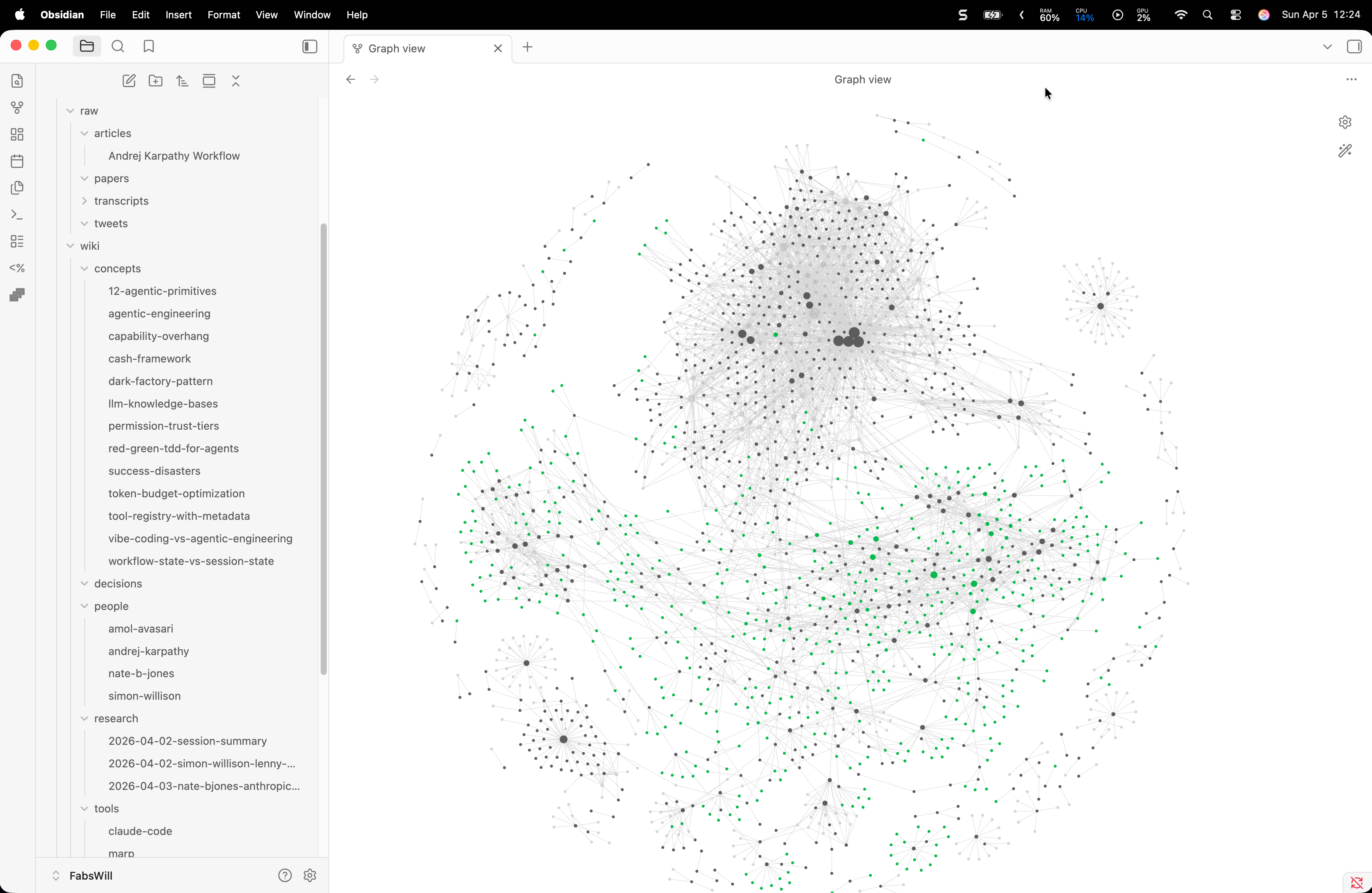
There's a new kind of computer media in the enterprise: Write once, Read never. The docs are perpetually stale, constantly diverging from reality, and scattered across Confluence, SharePoint, GitHub, Webex (or Slack) threads, Notion, Obsidian - and in my personal life, add Apple Notes, Goodnotes, web clippings, and multiple Google Drives worth of docs and slides that nobody is ever going back to. Karpathy tweeted his LLM knowledge base wiki architecture which went viral last weekend and I decided to give it a run yesterday. Verdict: You *have* to try this out. Prediction: You won’t be able to live without it soon. There were a few mods and decisions I made to the base Karpathy provided. First, the vault / folder structure in Obsidian. I already use Obsidian as a human. Instead of creating separate vaults and dealing with the sync nightmare, I just have folders for Human and Agent, and a Raw folder. (1) The Human/ folder is where I write long form articles and notes independent of the knowledge base wiki. No LLM or agent touches this folder. (2) I do have Arnold Layne, my OpenClaw agent, doing background tasks for me. Raw/ is where both Arnold and I, dump raw snippets. Inclusive of diverse kinds of media. (3) The Agent/ folder is where the LLM (Claude in my case) synthesizes the wiki. No human touches this folder. Second, some customizations to CLAUDE.md for enterprise-like usage - (4) Domain extensions - the agent needs to know that quantum computing and agentic AI have different entity types and different provenance thresholds. (5) Primary source protection, when I drop in my own original work, secondary sources can extend it or raise questions against it, but they cannot overwrite it. It sounds like a small thing but its’s not, especially at enterprise scale where provenance actually matters. Karpathy is upfront that what he’s built is working memory for a single agent, and it’s truly remarkable at that. The jump to Shared Context across teams, reconciling conflicting beliefs at org scale, ontologies that don’t collapse under the weight of a hundred contributors - those are much harder problems and what we are exploring with the Internet of Cognition. PS: The screenshot shows my Obsidian vault after just two runs: one with Karpathy’s original tweet and gist file itself (so meta!) and one with our Internet of Cognition paper. Claude (Sonnet) read it, compiled it into structured summaries, entity pages, concept pages, backlinks, merged all the information cohesively, and keeps it all maintained from there. You just read the Wiki. It’s simply magical.

I Built a Knowledge Base That Writes Itself. Here Is What Andrej Karpathy Got Right.
Andrej Karpathy posted about using LLMs to build personal knowledge bases. I took his workflow, wired it into my Obsidian vault with Claude Code, and within an hour had 21 cross-linked wiki articles compiled from YouTube transcripts. Here is how it works and why it matters.
Wiki Builder: A Claude Code Plugin for Building LLM Knowledge Bases
Wiki Builder is an open-source Claude Code plugin that turns the LLM-knowledge-base workflow into a one-command setup. Scaffold a configurable wiki, point Claude at sources, and let the agent compile durable pages, indexes, and concept maps for you.

Jekyll-Bonsai
A modern jekyll theme for semantically inclined digital gardeners.
7 Free Jekyll Templates
A guide for Jekyll freelancers to get the most out of CloudCannon with templates.

Jekyll • Simple, blog-aware, static sites
Transform your plain text into static websites and blogs


How To Build LLM Wiki In Obsidian? 🧠 A Memory Layer For Any Agentic AI
Yuchen Jin on Twitter / X
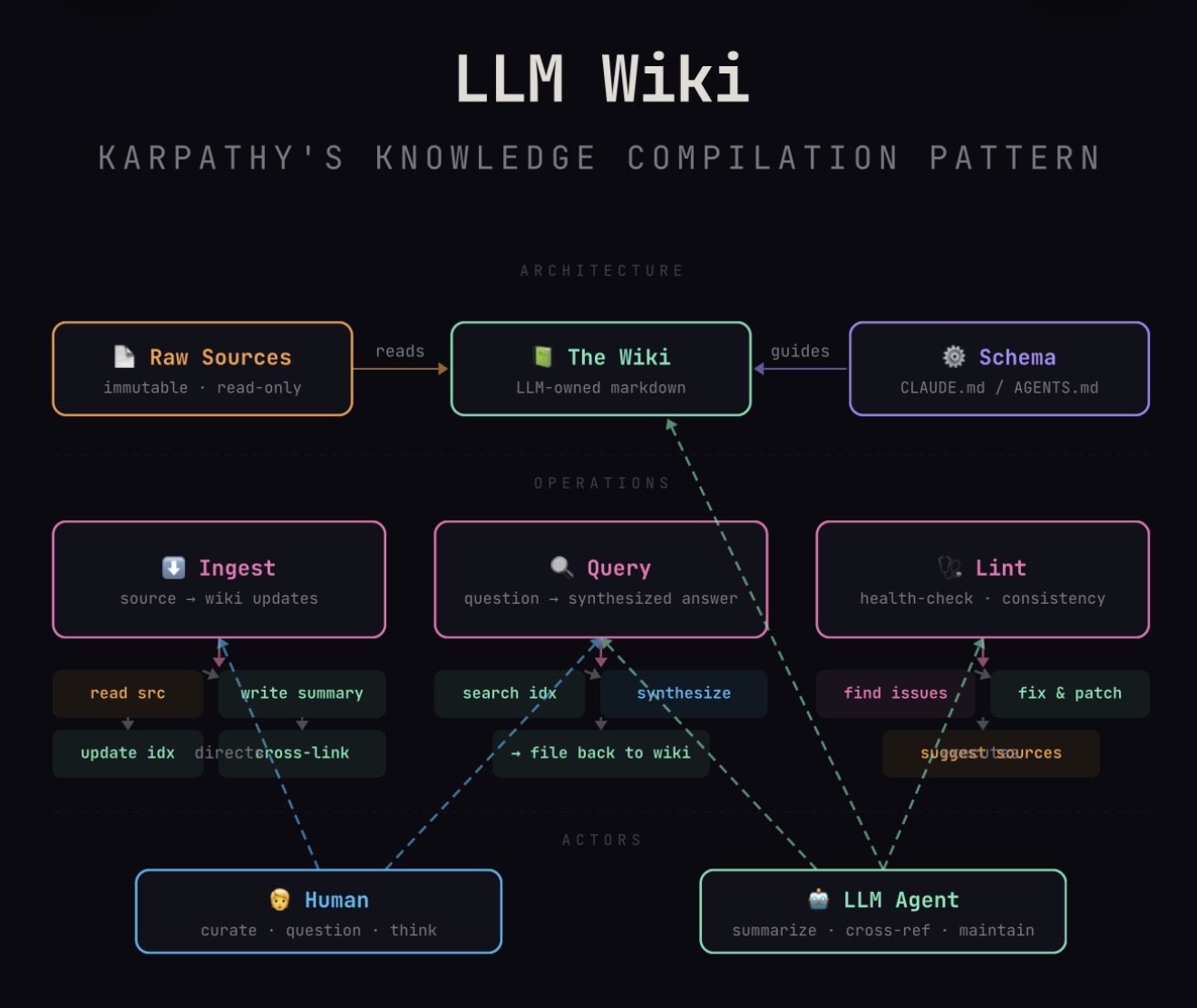
Karpathy’s “LLM Wiki” pattern: stop using LLMs as search engines over your docs. Use them as tireless knowledge engineers who compile, cross-reference, and maintain a living wiki. Humans curate and think.Diagram generated by my Claude agent knowledge worker. https://t.co/5u5i1GeFK8 pic.twitter.com/NIaq3KlAok— Yuchen Jin (@Yuchenj_UW) April 4, 2026
Wiki

Wiki software
robot.wtf — Memory for agents in a wiki for humans
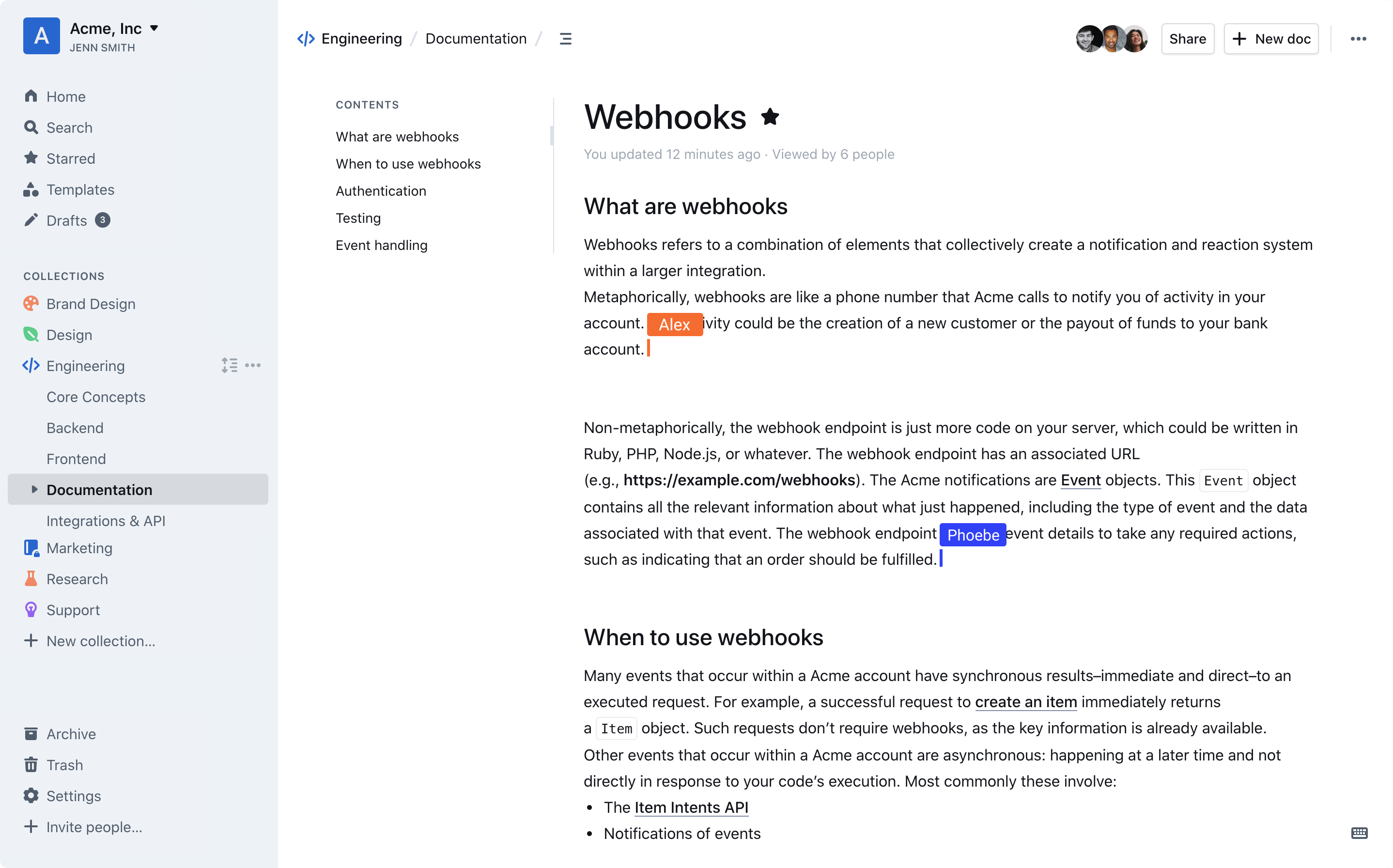
Outline – Team knowledge base & wiki
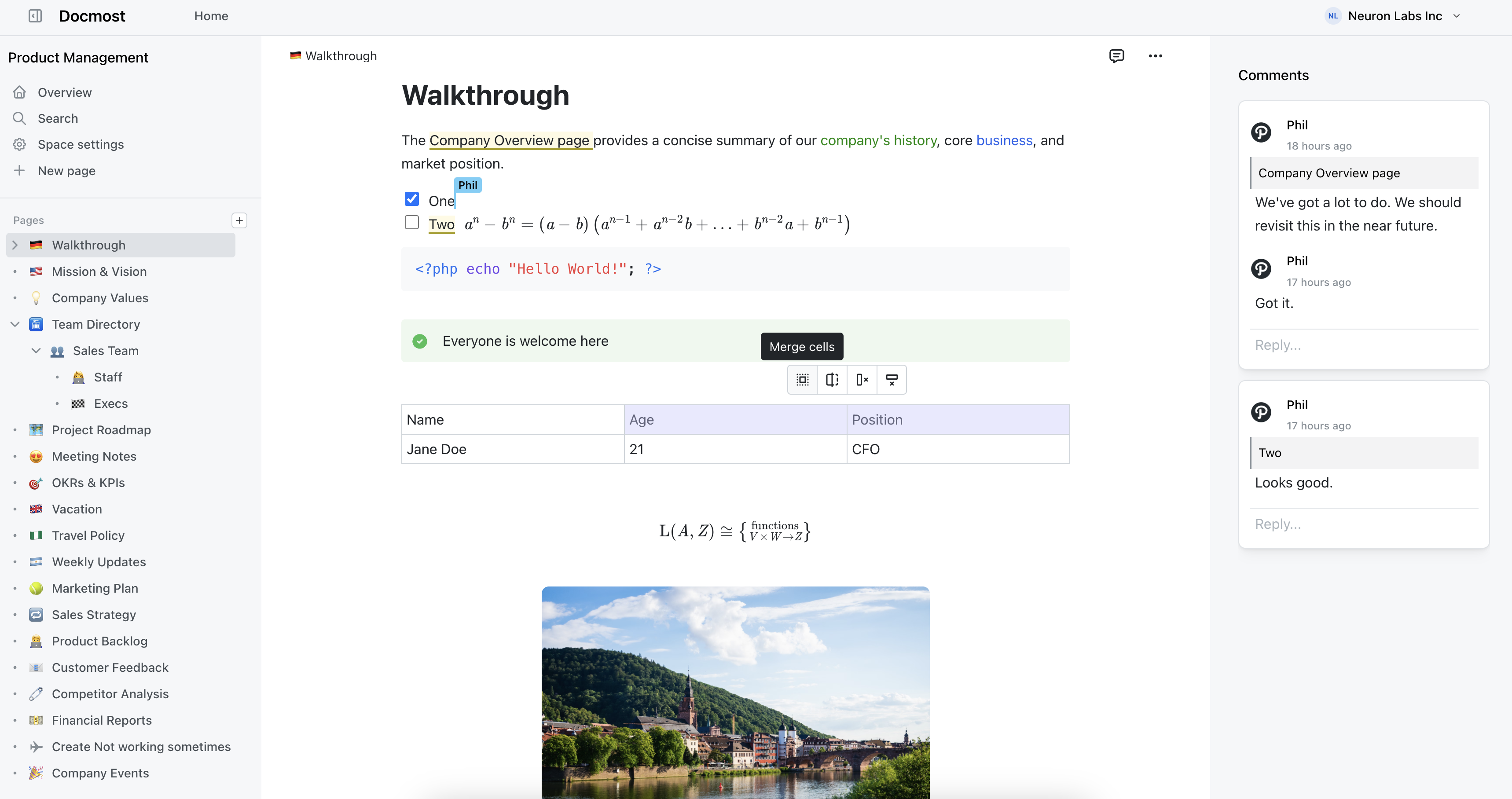
Enterprise-ready Wiki for Teams | Docmost
Lichen
Cardigan Bay Wiki :: AboutThisWiki
interstar/cardigan-bay